
Crafted with passion by What the Flutter 🦜


This Flutter package is a ready-made module which allows other developers to implement additional menu in their own mobile app where users can share their suggestions about the application in real time, discuss them with others, and vote for each other's suggestions.
You can check interactive example here.
A small demo:

At first, you need to implement SuggestionsDataSource. This is an interface which we use to handle
all the data-layer logic. There you can add the connection to your DB.
If you use firestore as a data source, you can use our ready-made implementation Suggest a feature Firestore.
Then you need to move the SuggestionsPage. For example:
Navigator.of(context).push(
  MaterialPageRoute(
    builder: (context) => SuggestionsPage(
      userId: '1',
      suggestionsDataSource: MyDataSource(
        userId: '1',
      ),
      theme: SuggestionsTheme.initial(),
      onUploadMultiplePhotos: null,
      onSaveToGallery: null,
      onGetUserById: () {},
    ),
  ),
);
If you want to give a user the ability to attach photos to suggestions and save them to the gallery,
you just need to implement the onUploadMultiplePhotos and onSaveToGallery methods.
You can also either use our standard theme or create your own:
theme: SuggestionsTheme().copyWith(...),Admin functionality allows you to edit any suggestion (e.g change its' status) and to leave comments from the 'Admin'.
A small demo:
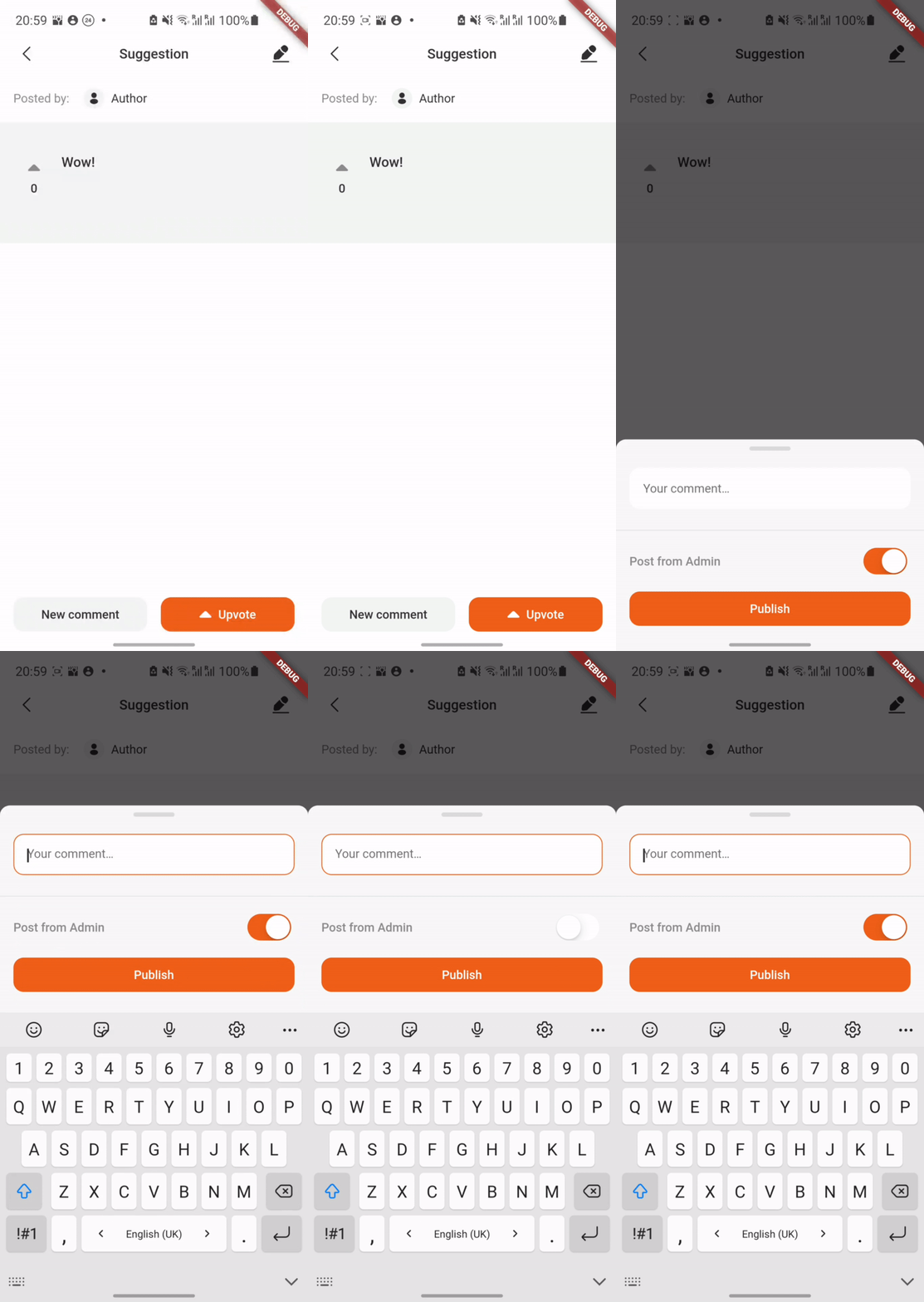
In order to enable admin functionality, you should specify the adminSettings and set isAdmin to true:
SuggestionsPage(
  isAdmin: true,
  adminSettings: const AdminSettings(
    id: '3',
    username: 'Admin',
  ),
);At the moment the package supports 3 languages: English, Russian and Ukrainian.
English is the default language, it will be set in case the current locale is not supported by the SuggestionsLocalizations.delegate.
MaterialApp(
  home: SuggestionsPage(),
  localizationsDelegates: [
    SuggestionsLocalizations.delegate,
    GlobalMaterialLocalizations.delegate,
  ],
);SuggestionsLocalizations- strings localizationGlobalMaterialLocalizations- date format localization
You also have to invoke initializeDateFormatting() before MaterialApp() widget creation in order to support date formatting.
initializeDateFormatting();
return MaterialApp(
  home: SuggestionsPage(),
);A suggestion can't be created or edited with an empty title or description. Whitespace-only text counts as empty, and both fields are trimmed before saving.
You can add your own rules for each field with titleValidationRules and
descriptionValidationRules. Rules are checked in order against the trimmed text, and the first one
that fails shows its error under the field. Each rule has its own error text, so pass strings from
your app's localization.
SuggestionValidationRule(pattern:, errorText:)passes when the text matchespattern. Anchor it with^and$to check the whole text.SuggestionValidationRule.forbidden(pattern:, errorText:)fails whenpatternis found anywhere in the text, for example a banned word.SuggestionValidationRule.minLengthandSuggestionValidationRule.maxLengthlimit the length.
SuggestionsPage(
  titleValidationRules: [
    SuggestionValidationRule.forbidden(
      pattern: RegExp(r'\bbadword\b', caseSensitive: false),
      errorText: context.l10n.suggestionBannedWord,
    ),
    SuggestionValidationRule.minLength(5, errorText: context.l10n.titleTooShort),
    SuggestionValidationRule.maxLength(80, errorText: context.l10n.titleTooLong),
  ],
  descriptionValidationRules: [
    SuggestionValidationRule.minLength(20, errorText: context.l10n.descriptionTooShort),
  ],
);For each suggestion and comment manipulation (updating or deleting) we recommend to check whether
user has author rights to commit those actions. Author rights concept is as follows: the user who
has created a suggestion/comment is the only one who can delete or update it. If it somehow happens
that a user without author rights tries to delete/update a suggestion, an Exception will be thrown.
onGetUserById() function in SuggestionsPage constructor will help you with this.
The package uses the material theme of your application.
Text styles used in package:
- TextTheme.titleLarge
- TextTheme.titleMedium
- TextTheme.labelLarge
- TextTheme.bodyMedium