



Building native-like Elixir apps for Windows, MacOS, Linux, iOS and Android using Phoenix LiveView!
Checkout the example app for a starting point.
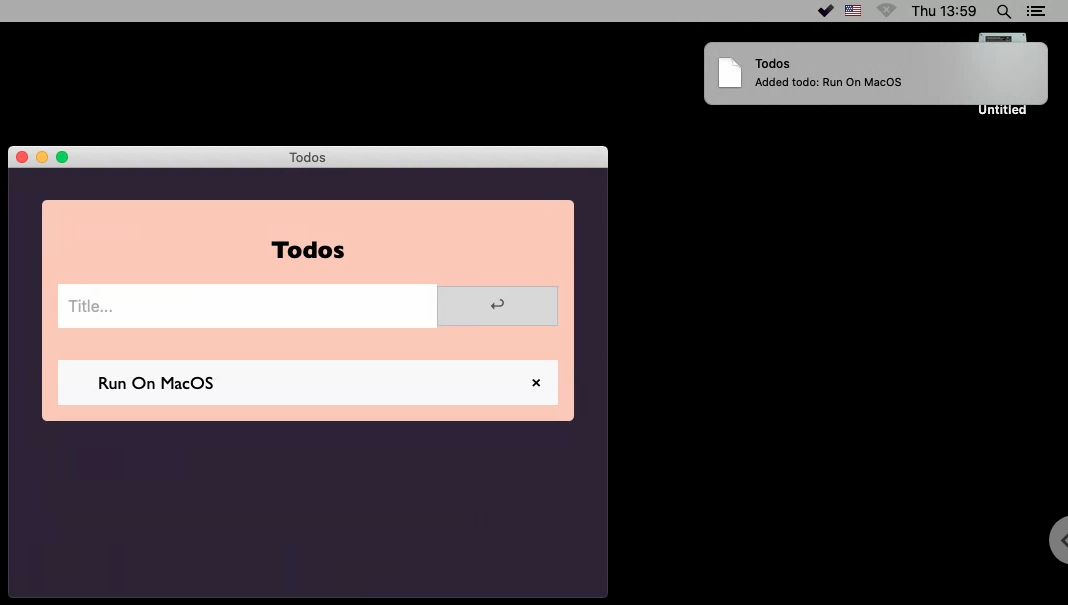
Check out the Getting your Environment Ready Guide and Your first Desktop App.
This repo’s .tool-versions pins Erlang and Elixir for contributors; mise and asdf both understand that file. After activating your toolchain, run mix desktop.check_toolchain to confirm the running OTP major and Elixir version match .tool-versions.
desktop routes window, webview, menu, and notification calls through Desktop.Platform to one of three backends. The default is automatic selection (:auto); you can override it in config or via environment variables.
| Backend | Typical use |
|---|---|
Desktop.Backend.Wx |
Native windows on Windows, macOS, and Linux (OTP :wx / wxWidgets) |
Desktop.Backend.Json |
Android and iOS — JSON/TCP bridge to your native host app (BRIDGE_PORT) |
Desktop.Backend.Browser |
Headless CI, servers without wx, or local dev without a GUI (NO_WX=1) |
Automatic selection (config :desktop, :backend, :auto — the default):
- Mobile target (
config :desktop, :mobile_target, trueat compile time, orDesktop.OS.mobile?/0at runtime) → Json - Else
NO_WXset or:wxnot available → Browser - Else → Wx
Explicit override in config/config.exs:
config :desktop, :backend, :wx      # force wxWidgets (desktop)
config :desktop, :backend, :json   # force JSON bridge (e.g. mobile host)
config :desktop, :backend, :browser # force OS-browser fallback
config :desktop, :backend, :auto   # automatic (default)
You can also pass a custom backend module that implements the Desktop.Platform.* behaviour callbacks:
config :desktop, :backend, MyApp.DesktopBackendEnvironment variables:
| Variable | Effect |
|---|---|
NO_WX=1 |
With :auto, selects the Browser backend (no native window) |
BRIDGE_PORT |
TCP port for the Json backend’s native host (default 0 = in-process mock for tests) |
See the FAQ for mobile bridge setup, headless testing, and capability details.
- ✅ Run elixir-desktop on Windows/MacOS/Linux
- ✅ Run elixir-desktop on iOS/Android
- ✅ Package elixir-desktop based apps for iOS/Android (see example-app repo for iOS and Android)
- Package elixir-desktop based apps in installers for Windows/MacOS/Linux
- Update the desktop example app built installers for Windows/MacOS/Linux using GitHub actions
- Use a repo of pre-compiled Erlang binaries for Windows/MacOS/Linux/iOS/Android when building Apps, so one call of
mix desktop.deploywill create installer for all platforms. - Integrate Code Signing for Windows/MacOS
- Build a GitHub actions based auto-update flow
- Please checkout the GitHub repo and raise any issue.
- For questions and comments best to use the Elixir forum or contact me on Slack.
All suggestions are welcome!
Cheers!
Copyright (c) 2021 Dominic Letz
This work is free. You can redistribute it and/or modify it under the terms of the MIT License. See the LICENSE.md file for more details.