This repository contains a collection of scripts, code snippets, and documentation for miscellaneous image processing tasks. While these were written specifically for data from Direct Electron (DE) cameras, they may be helpful for others as well. Contributions, feedback, and improvements from the community are welcome.
This README.md file contains information about:
This Windows batch script uses mrc2tif from IMOD to convert all MRC files in the current working directory to TIFF LZW compressed files. Obviously, you must have IMOD installed.
This Python script creates XML files containing beam-shift information for each acquisition from MDOC files saved by SerialEM during data acquisition. This is adapted and modified from mdoc.xml.py from Colin Gauvin's GitHub. There are two primary changes:
- Read MDOC files that were saved with MRC files instead of TIF files.
- Add an option to output XML files with .mrc.xml extension instead of the default .tif.xml.
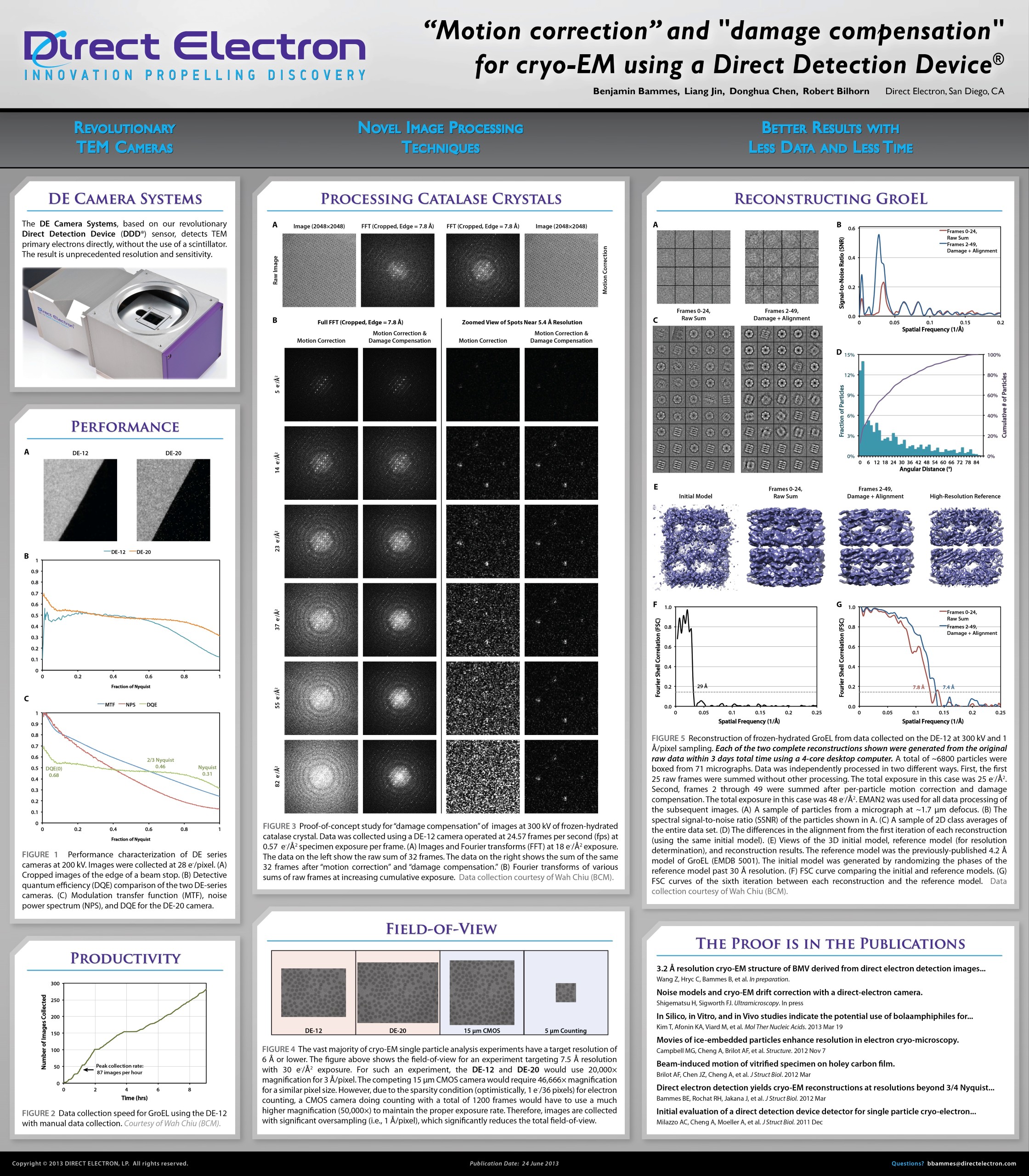
After initially presenting dose weighting (which we originally called "damage compensation") at the 2013 3DEM GRC using catalase crystal and GroEL. The method was patented by Direct Electron, and it was first applied to brome mosaic virus (BMV), published in Wang, et al., 2014. Grant & Grigorieff, 2015 further advanced this method by calculating the optimal exposure curves for rotavirus--curves that are still used in image processing software today.
Instead of using standardized curves, dose weighting can be improved by calculating empirical dose weighting curves from each dataset. However, CryoSPARC occassionally seems to upweight high-resolution information frames at the end of each acquisition, despite the fact that this is where there is the most radiation damage. This has been discussed on their user forums.
The fix_cs_dw.py is an attempt to resolve this issue.
To apply this script, run Reference-Based Motion Correction (RBMC) in three steps, running this Python script in the middle:
- Run RBMC with "Final processing stage" = "Optimize hyperparameters".
- Clone the RBMC job and connect the Hyperparameters output from the first run to this one. Then set "Final processing stage" = "Compute empirical dose weights".
- Open a terminal on your CryoSPARC computer and go to the directory for the second RBMC job. Copy fix_cs_dw.py into this directory, then run: "python fix_cs_dw.py M --norm".
- Clone the second RBMC job and connect the Hyperparameters output from the second run to this one. (Those hyperparameters were modified by the Python script from the previous step.) Then set "Final processing stage" = "Motion-correct particles".
The Python script does the following:
- Copies the original empirical dose weighting curve to refm_empirical_dw_original.npy.
- Finds the peak value of the smoothed dose weighting curve for each resolution bin, and then optionally normalizes the curve so that the peak is 1.0.
- Fits an exponential decay to the curve after this peak, searching for the region-of-best-fit and only using that region for fitting.
- Modifies the dose weighting curve after the midpoint of this region-of-best-fit to continue the exponential decay, ensuring that the curve does not go back up in later frames.
- Sets a minimum value of exp(-20) for each dose weighting curve to prevent potential overflow errors.
- Saves Numpy arrays and PNG images for a variety of types of dose weighting curves.
- Sets the dose weighting curve used in CryoSPARC to whichever one was selected in the command line argument.
The types of dose weighting curves that are generated, and can be selected using the third command line argument (a single letter) are:
- O = original
- M = modified as described above
- I = modified, but without initial downweighting
- G = Grigorieff curve, but combined with 25% of the initial downweighting calculated by RBMC
- C = constant (no dose weighting)
Note that initial testing shows that normalizing the dose weighting curves slightly improves the resulting resolution, so it is recommended to add the "--norm" option when running the script.