
This originally was just some very minor edits to the existing CarControl.cs script in: Unity 6 docs - "Car with wheel colliders tutorial" simply for things like adding pub struct to list so as to combine the CarControl and Wheels files into one just for example and then to provide scripts variants for both old and new input and provide variants of such for Unity 6 and also 2021-22 and that remains the original intent with so far only few further changes added further over time for example now expanding slightly by adding further braking functionalities and two optional camera scripts, etc...
Original Unity Tutorial: "Create a car with Wheel colliders": https://docs.unity3d.com/6000.0/Documentation/Manual/WheelColliderTutorial.html
Note: (This repository directory here as noted above in the description was originally just merely some files from such tutorial mildly edited, though now has expanded slightly by adding further braking functionalities and two optional camera scripts)
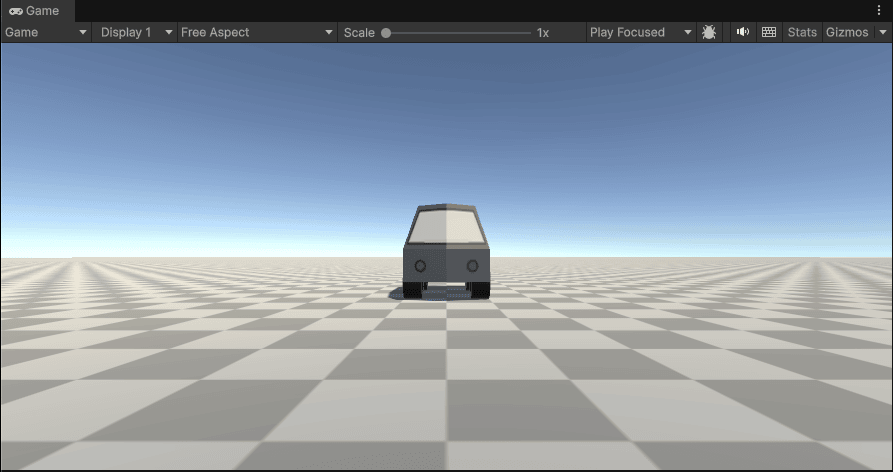
Optional Camera scripts:
CarCamera.cs:
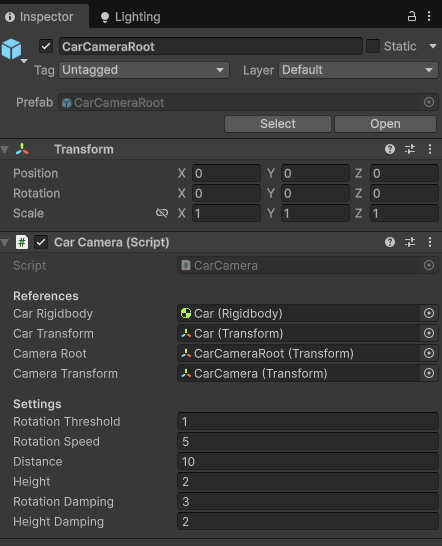
CarCameraPlus.cs:
.png)
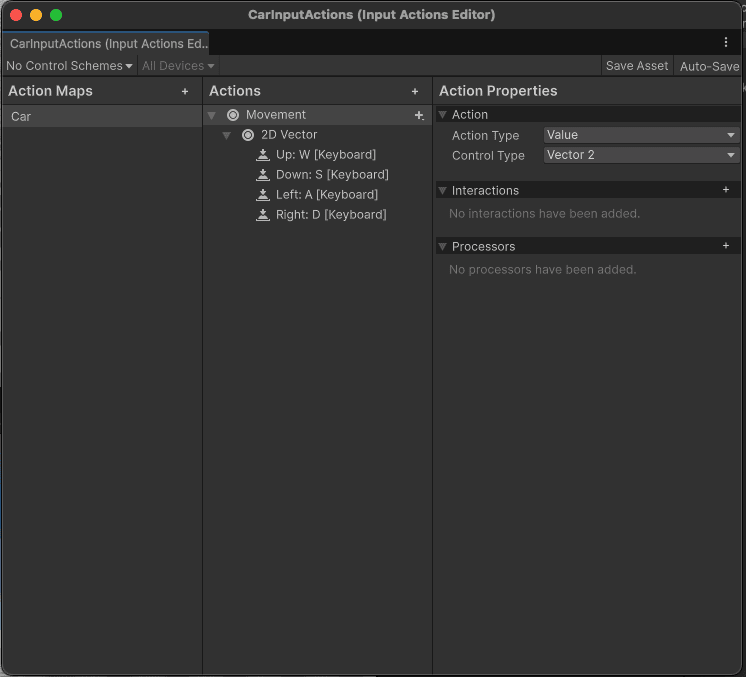
- Car Forward: W
- Car Reverse: S
- Car Turn Left: A
- Car Turn Right: D
- Car Brake: Space
Car Setup:
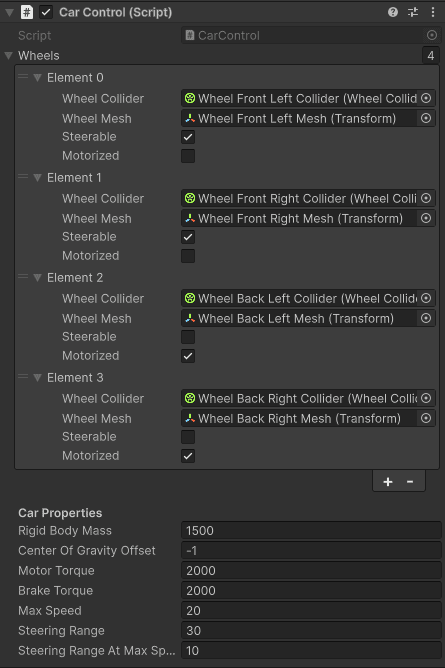
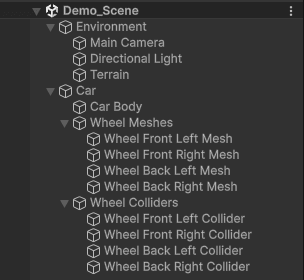
This car control script is responsible for controlling the car's movement, steering, and braking using the new Unity Input System. It handles the physics of the car through WheelColliders and updates the visual representation of the wheels accordingly.
-
Unity 2021+ & 2022+ Setup: https://github.com/deathwatchgaming/Unity-UnityCar/blob/main/New_InputSystem/Unity2021-2022/Assets/UnityCar/Documentation/CarSetup.txt
-
Unity 6+ Setup: https://github.com/deathwatchgaming/Unity-UnityCar/blob/main/New_InputSystem/Unity6/Assets/UnityCar/Documentation/CarSetup.txt
Car Camera Setup:
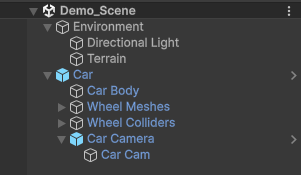
Car Camera: (optional usage - this or the other or none is up to you)
This camera script is responsible for controlling the camera that follows the car. It uses the car's velocity to determine the camera's rotation and position. The camera will smoothly follow the car and rotate to match the car's velocity vector. If the car is not moving, the camera will default to looking forward.
-
Unity 2021+ & 2022+ Setup: https://github.com/deathwatchgaming/Unity-UnityCar/blob/main/New_InputSystem/Unity2021-2022/Assets/UnityCar/Documentation/CarCameraSetup.txt
-
Unity 6+ Setup: https://github.com/deathwatchgaming/Unity-UnityCar/blob/main/New_InputSystem/Unity6/Assets/UnityCar/Documentation/CarCameraSetup.txt
Car Camera Plus: (optional usage - this or the other or none is up to you)
This camera script provides a dual-mode camera (Follow + Orbit) with robust anti-clipping, mode transition safety, and full support for both cursor locked and unlocked states.
-
Unity 2021+ & 2022+ Setup: https://github.com/deathwatchgaming/Unity-UnityCar/blob/main/New_InputSystem/Unity2021-2022/Assets/UnityCar/Documentation/CarCameraPlusSetup.txt
-
Unity 6+ Setup: https://github.com/deathwatchgaming/Unity-UnityCar/blob/main/New_InputSystem/Unity6/Assets/UnityCar/Documentation/CarCameraPlusSetup.txt
Car Setup:
This car control script is responsible for controlling the car's movement, steering, and braking using the Unity "Legacy" Old Input System. It handles the physics of the car through WheelColliders and updates the visual representation of the wheels accordingly.
-
Unity 2021+ & 2022+ Setup: https://github.com/deathwatchgaming/Unity-UnityCar/blob/main/Old_InputSystem/Unity2021-2022/Assets/UnityCar/Documentation/CarSetup.txt
-
Unity 6+ Setup: https://github.com/deathwatchgaming/Unity-UnityCar/blob/main/Old_InputSystem/Unity6/Assets/UnityCar/Documentation/CarSetup.txt
Car Camera Setup:
Car Camera: (optional usage - this or the other or none is up to you)
This camera script is responsible for controlling the camera that follows the car. It uses the car's velocity to determine the camera's rotation and position. The camera will smoothly follow the car and rotate to match the car's velocity vector. If the car is not moving, the camera will default to looking forward.
-
Unity 2021+ & 2022+ Setup: https://github.com/deathwatchgaming/Unity-UnityCar/blob/main/Old_InputSystem/Unity2021-2022/Assets/UnityCar/Documentation/CarCameraSetup.txt
-
Unity 6+ Setup: https://github.com/deathwatchgaming/Unity-UnityCar/blob/main/Old_InputSystem/Unity6/Assets/UnityCar/Documentation/CarCameraSetup.txt
Car Camera Plus: (optional usage - this or the other or none is up to you)
This camera script provides a dual-mode camera (Follow + Orbit) with robust anti-clipping, mode transition safety, and full support for both cursor locked and unlocked states.
-
Unity 2021+ & 2022+ Setup: https://github.com/deathwatchgaming/Unity-UnityCar/blob/main/Old_InputSystem/Unity2021-2022/Assets/UnityCar/Documentation/CarCameraPlusSetup.txt
-
Unity 6+ Setup: https://github.com/deathwatchgaming/Unity-UnityCar/blob/main/Old_InputSystem/Unity6/Assets/UnityCar/Documentation/CarCameraPlusSetup.txt