
Create basic Vehicle(s) Controller(s) by Example(s) for your Unity projects using vehicle models from Synty Polygon Explorers Asset.
Note: As this uses the vehicles from such and due to licensing of such asset the said vehicles cannot be included in this repository obviously, so, as such the provided scripts thus require having / purchasing the Synty Polygon Explorers Asset: https://assetstore.unity.com/packages/3d/characters/humanoids/humans/polygon-explorer-low-poly-3d-art-by-synty-128996
- Jeep (total: 4)
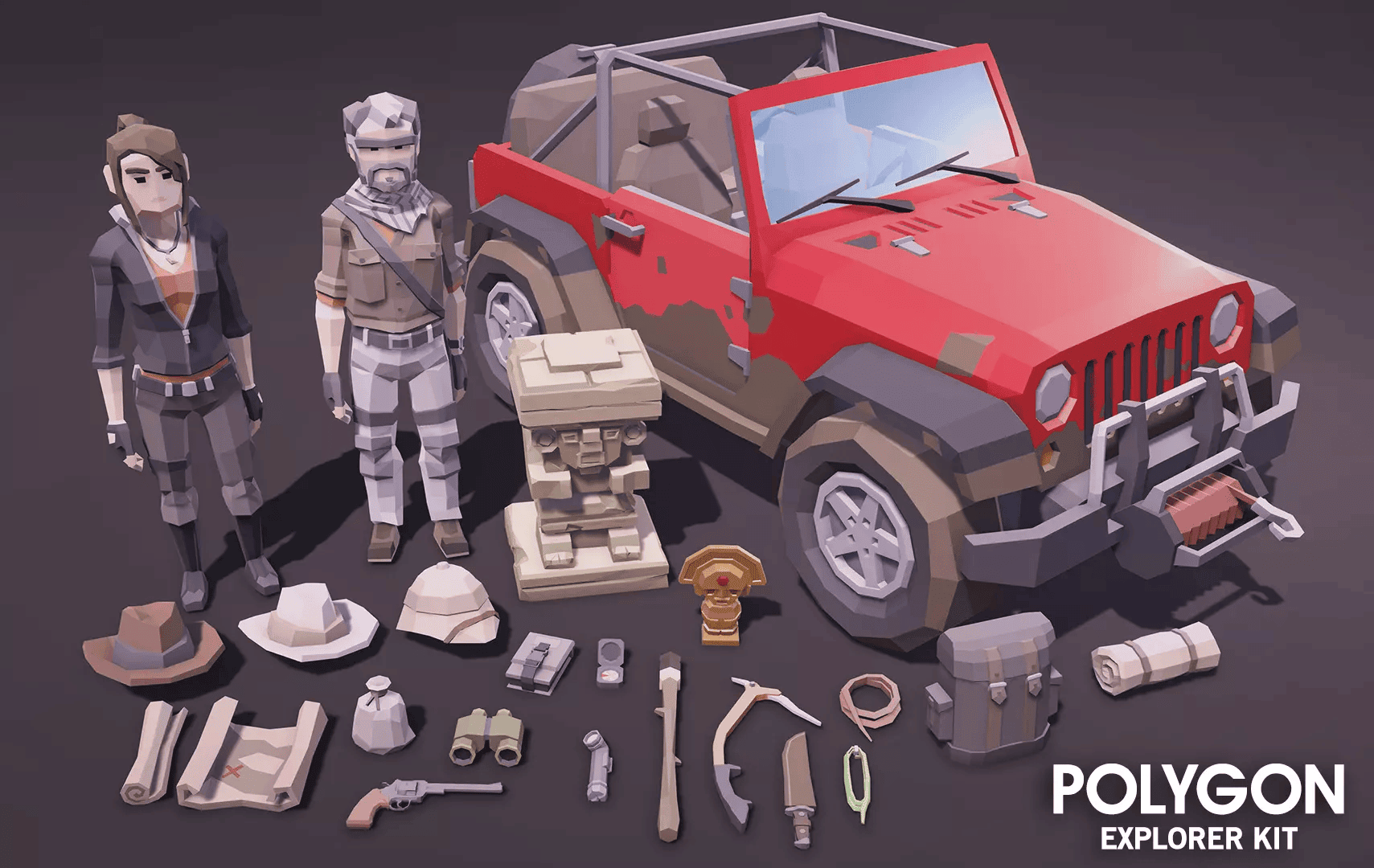
The intention of these releases due to only being scripts for usage with models one must already own or opt to purchase and as such was known that one could not release such models with the package here the intent was to provide basic vehicle functionality as a start point as fully functional in terms of an opinion of basic but leave out optional continuances in the hopes that these will be used as starting points for folks to continue on with and improve upon. Now, some of the things intentionally left out, umm, while all simply easy to add, lets see: say, audio sources, audio clips, particle systems for exhausts, etc, etc... as leaving these initializations of such aforementioned suggestions out was indeed intentional in the hopes that the end user will continue to add those as desired and continue to improve upon the provided start points. Also note that while yes, these are great hints, tips and or suggestions, if you were thinking say of what to add next, please note though, that is not to say if and or when I may find myself to have free time say I just may or may not opt to add such or some of such at later dates if desire or free time allows. Another thing to note is that I intentionally left out adding a fuel system to these at this time because again the intent was to provide basic functional vehicle controllers as starting points.
NOTE: This project was / is being developed while / for using Unity 2021+ & 2022+ & Unity 6+
Old_Input_System Directory NOTE:
Provided variants: (Unity 2021+ / 2022+ variant & Unity 6+ variant)
NOTE: These currently still use the "Old Input System", so as such depending on what version of Unity you may be using it may be necessary to make sure such or both is enabled in project settings.
New_Input_System Variant Directory NOTE:
Provided variants: (Unity 2021+ / 2022+ variant & Unity 6+ variant)
NOTE: This currently uses the "New Input System", so as such depending on what version of Unity you may be using it may be necessary to make sure such or both is enabled in project settings.
New_Input_System Directory NOTE: If there is any confusion with "Input Actions", just note the following "Input Action Assets" found below:
For player:
Input Actions:
Player Controls: PlayerControls (Input Action Asset)
For vehicles:
Input Actions:
Car Controls: CarControls (Input Action Asset)
- Jeep (x4) (controller, speedometer, entry, compass) - [Functional]
- Player & Vehicles Compass - [Functional]
- Related Documentations ie: AllVehicleControllers-wEntry-Documentation (in progress)
New_Input_System Variant:
- Player Forward: W [Keyboard] / Left Stick [Gamepad]
- Player Reverse: S [Keyboard] / Left Stick [Gamepad]
- Player Left: A [Keyboard] / Left Stick [Gamepad]
- Player Right: D [Keyboard] / Left Stick [Gamepad]
- Player Jump: Space [Keyboard] / Button South [Gamepad]
- Player Sprint: Shift [Keyboard] / Left Shoulder [Gamepad]
- Player Look: Delta [Mouse] / Right Stick [Gamepad]
Old_Input_System Variant:
- Player Forward: W
- Player Reverse: S
- Player Left: A
- Player Right: D
- Player Jump: Space
- Player Sprint: Left Shift
- Player Look: Mouse
Note: The following below are related to both variations either standalone vehicle controller usage and entry script usage.
New_Input_System Variant:
Jeeps:
- Vehicle Forward: W [Keyboard] / Left Stick [Gamepad]
- Vehicle Reverse: S [Keyboard] / Left Stick [Gamepad]
- Vehicle Left: A [Keyboard] / Left Stick [Gamepad]
- Vehicle Right: D [Keyboard] / Left Stick [Gamepad]
- Vehicle Brake: Space [Keyboard] / Right Trigger [Gamepad]
Entry Script:
Note: The following found below are specific only when entry script is applied.
- Enter Vehicle: E [Keyboard] / Button North [Gamepad]
- Exit Vehicle: F [Keyboard] / Button South [Gamepad]
Old_Input_System Variant:
Jeeps:
- Vehicle Forward: W
- Vehicle Reverse: S
- Turn Left: A
- Turn Right: D
- Apply Brake: Space
Entry Script:
Note: The following found below are specific only when entry script is applied.
- Enter Vehicle: E
- Exit Vehicle: F
Simply follow the linkages found below for documentation information / instruction respective to the version say for example either Unity 2021+ & Unity 2022+ or Unity 6+....
New_Input_System Variant:
-
Unity 2021+ & 2022+ => Files, ReadMe, Docs: https://github.com/deathwatchgaming/Unity-BasicVehiclesControl_ForSyntyExplorer/tree/main/New_Input_System/Unity-2021-2022
-
Unity 6+ => Files, ReadMe, Docs: https://github.com/deathwatchgaming/Unity-BasicVehiclesControl_ForSyntyExplorer/tree/main/New_Input_System/Unity-6
Old_Input_System Variant:
-
Unity 2021+ & 2022+ => Files, ReadMe, Docs: https://github.com/deathwatchgaming/Unity-BasicVehiclesControl_ForSyntyExplorer/tree/main/Old_Input_System/Unity-2021-2022
-
Unity 6+ => Files, ReadMe, Docs: https://github.com/deathwatchgaming/Unity-BasicVehiclesControl_ForSyntyExplorer/tree/main/Old_Input_System/Unity-6