A React marquee component that smoothly loops content.




Lo-fi demo:
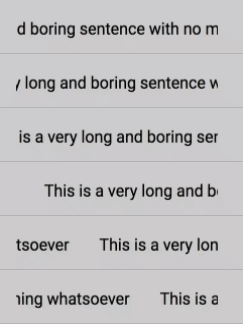
View the demos page for live examples.
npm install react-double-marquee
Import the component and wrap it in an element that constrains its width:
import Marquee from 'react-double-marquee';

export default function MyComponent() {
  return (
    <div style={{ width: '200px', whiteSpace: 'nowrap' }}>
      <Marquee>
        Some really really really really really long text
      </Marquee>
    </div>
  );
}
With pause on hover and loop control:
<Marquee pauseOnHover loop={3}>
  This will pause on hover and stop after 3 loops
</Marquee>| Prop | Type | Default | Description |
|---|---|---|---|
speed |
number |
0.04 |
Movement speed, in pixels/millisecond. |
delay |
number |
3000 |
Time until animation begins, in milliseconds. |
direction |
'left' | 'right' |
'right' |
Horizontal scroll direction. |
childMargin |
number |
15 |
Horizontal margin between children, in pixels. |
children |
React.ReactNode |
null |
Children to render within the marquee. |
scrollWhen |
'always' | 'overflow' |
'always' |
Scroll always, or only when content overflows the container. |
pauseOnHover |
boolean |
false |
Pause the animation when the mouse hovers over the marquee. |
loop |
number |
Infinity |
Number of times the marquee loops before stopping. |
Type definitions are included. You can import the props interface:
import Marquee, { MarqueeProps } from 'react-double-marquee';First, clone the repository.
npm install
To build the package bundle:
npm run build
To run the demos with live reload:
npm run dev
Then, open http://localhost:8001 to view the demo docs.
To build the static docs website (e.g. for GitHub Pages):
npm run docs
npm test
With watch mode:
npm run test:watch
With coverage:
npm run test:coverage
npm run lint
Releases are automated via GitHub Actions and semantic-release from the main branch.
MIT