


Stop paying for YubiKeys, use your Android phone as a FIDO2/WebAuthn key instead.
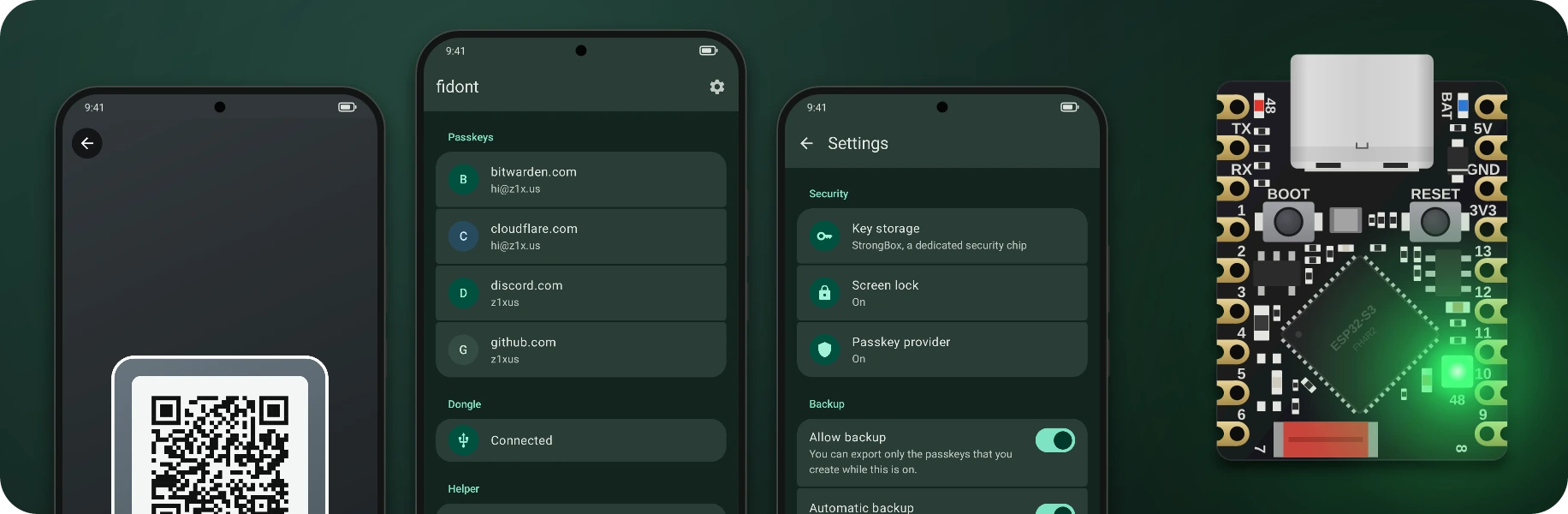
It works as:
- a passkey provider for apps and sites on the phone itself
- a key for browsers on other devices, you scan their passkey QR code with the app
- an NFC key, just tap the phone on a reader
- a USB key for everything else, through the dongle or the helper on Linux
- a Bluetooth key for browsers on a computer that you paired the phone with
Your keys are made inside the phone's secure hardware (StrongBox, or the TEE on phones without it) and nothing can copy them out of there. Using one always takes your fingerprint or PIN.
There is no sync, so if you lose the phone or remove the screen lock they are GONE, unless you turned on backup first.
Note
FIDO2/WebAuthn compatible, but not FIDO certified. Sites that only accept certified keys will reject it.
Needs Android 14 or newer.
Grab the APK from releases and install it.
The dongle is an ESP32-S3 board that shows up as a USB security key and passes every request to the phone over Bluetooth.
It holds no keys, so if you lose it you just flash another one.
Plug the board into the phone and tap "Set up", the app flashes and pairs it in one go.
And if the board isn't found, hold BOOT while plugging it in.
The app downloads the firmware from the GitHub release.
You can host firmware.bin and firmware.bin.sig yourself too, the URL goes in settings under "Dongle firmware".
If flashing from the phone doesn't work, use the web flasher and then "Pair over Bluetooth" in the app.
You don't have to open the app, when something asks for the key the fingerprint prompt just shows up on the phone.
For that Android asks once if fidont can use the dongle, and if you say no you only get a notification that you have to tap first.
The board's RGB light (GPIO 48) turns on while a request waits for you.
You can change that in settings under "Fun stuff", it does colors and a rainbow too.
On Linux the computer can do the dongle's job itself and you don't need a board, just fidont-helper from the releases.
install -D fidont-helper-linux-x86_64 ~/.local/bin/fidont-helper
fidont-helper pair
fidont-helper install
pair waits for the phone, so tap "Add a computer" and then "Pair" in the app, and check that both show the same code.
install sets it up as a systemd user service, and fidont-helper unpair forgets the phone.
Same thing here, the app doesn't have to be open and the prompt shows up when the computer asks for the key.
Windows support is planned.
Backup is off by default, because a key that was made inside StrongBox can't be copied out, not even by the app.
If you turn on "Allow backup" in settings, new passkeys get made in the app and imported into StrongBox instead, and the phone keeps an encrypted copy of each one that only opens with your fingerprint or PIN.
But passkeys from before you turned it on stay locked to the phone, so turn it on first if you want backups.
Export saves those copies to a file, encrypted with a password (PBKDF2 and AES-256-GCM), or plain if you leave the password empty.
Import on another phone puts them into its keystore.
There is also "Automatic backup", you pick a file and a password once and the app keeps that file up to date after that.
It doesn't need your fingerprint for that, since the copies are already encrypted and only your password opens them.
fidont doesn't replace Bitwarden (or Google Password Manager, 1Password etc), it does a different job.
Those sync your passkeys everywhere, fidont keeps them on one phone and works like a hardware key, so use both.
Android 14 lets you turn on more than one passkey provider, so they just show up next to each other when a site asks.
What I'd actually do is keep the daily passkeys in the password manager and register fidont as the 2FA key for the password manager itself, and for the accounts you really care about.
It also supports hmac-secret and PRF, which is what Bitwarden's passkey login and LUKS disk encryption through systemd-cryptenroll need. Credential management (CTAP 2.1) works too, so browsers can list and delete the passkeys on it.
The app has no accounts or analytics (or ads), and passkeys only leave the phone if you export them yourself.
But the QR flow needs a relay between the phone and the computer.
Whichever relay you use gets to see your IP and when you connected.
The messages themselves are E2EE, so it can't read them or sign in as you.
You pick the relay in settings:
- fidont is the default, it's mine at cable.ahhkeysummo2d.com and runs the code in this repo. It keeps no logs and stores nothing, a tunnel just sits in memory for 2 minutes at most. It sits behind Cloudflare, so Cloudflare sees the same as me.
- Google is cable.ua5v.com, the one Chrome and Android use. I don't know what it logs.
- Custom is a relay you run yourself.
docker build -t fidont-relay relay
docker run -p 8080:8080 fidont-relay
Browsers get the domain from a relay ID (256 to 65535), so you can't pick it yourself.
docker run fidont-relay -domain <id> prints the one for your ID, register it and point it at the relay with TLS in front.
Then pick Custom under QR code relay in settings and enter your ID.
Needs JDK 17+, the Android SDK, Go, Docker and Rust (the helper also wants the D-Bus headers).
docker run --rm -v "$PWD:/project" -w /project/firmware espressif/idf:v6.1 idf.py build
./gradlew :android:assembleDebug
go build -C relay
cargo build --release --manifest-path helper/Cargo.toml
./gradlew :core:conformance runs the CTAP2 code against python-fido2, it needs uv.
The QR flow is reimplemented from Chromium's hybrid transport and tested against fenleon/passkey.