Repository navigation
05. Editing Fields
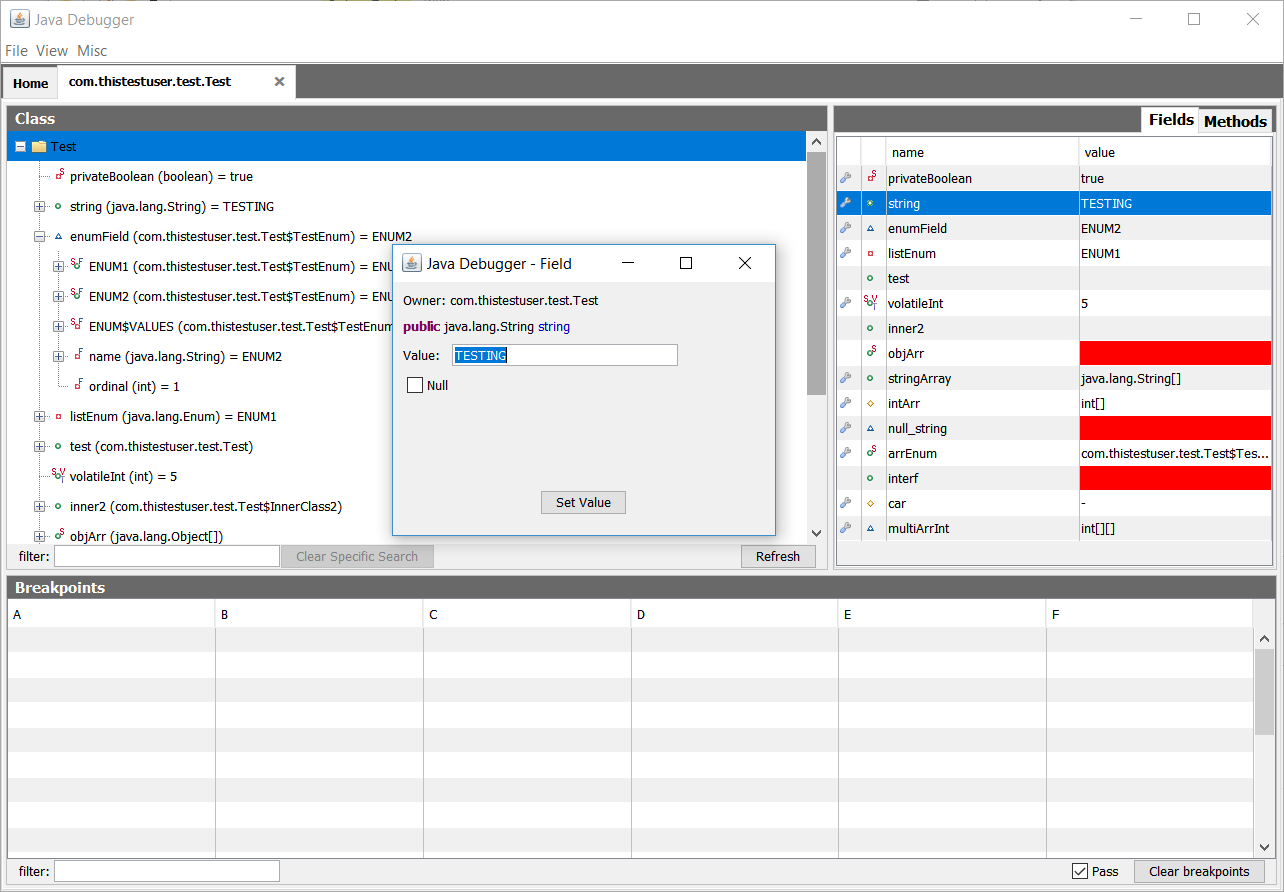
In Java Debugger fields with basic types (primitive, string, enum, array of any three) can be edited. To get started, click on the field in the panel to the right.
Arrays may be edited using 2 ways:
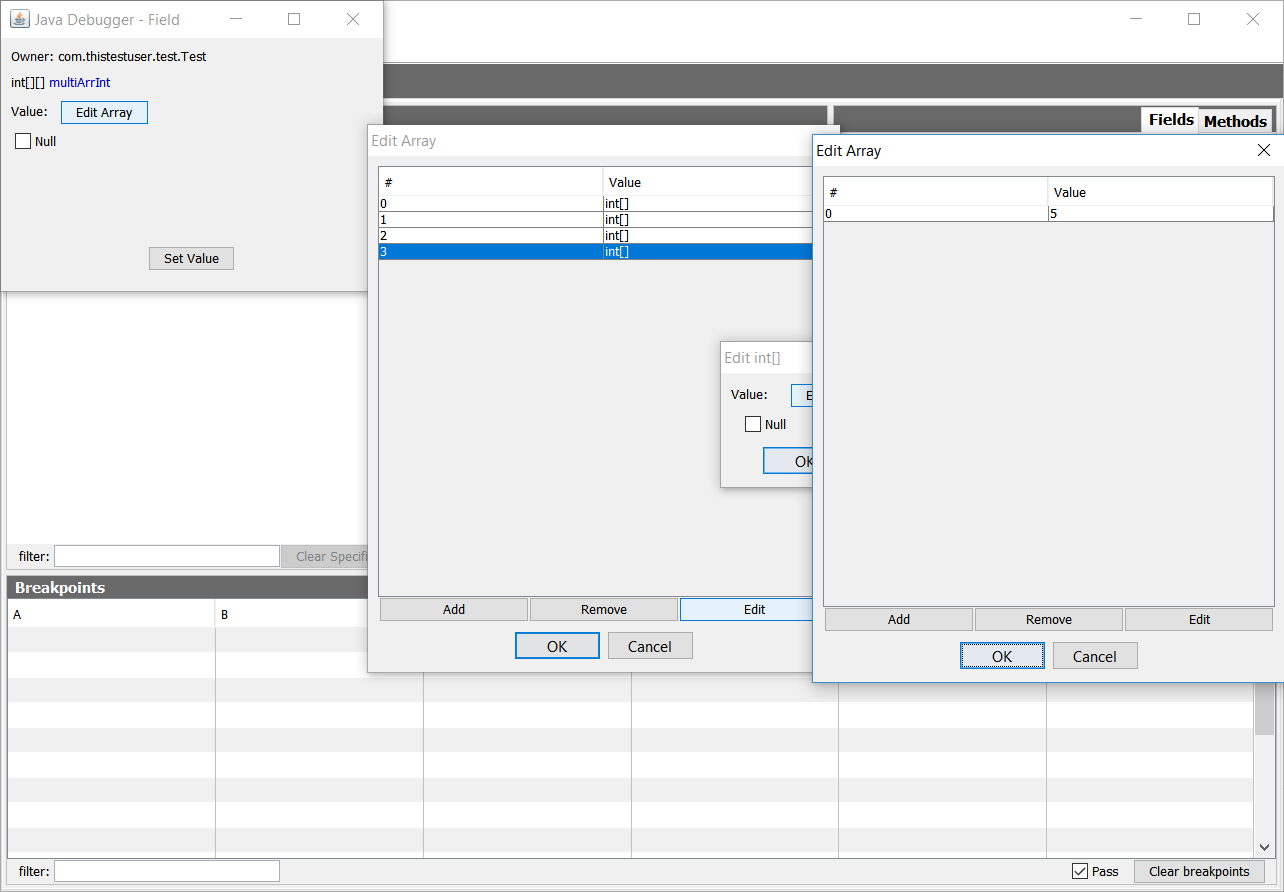
This way allows you edit using a table.
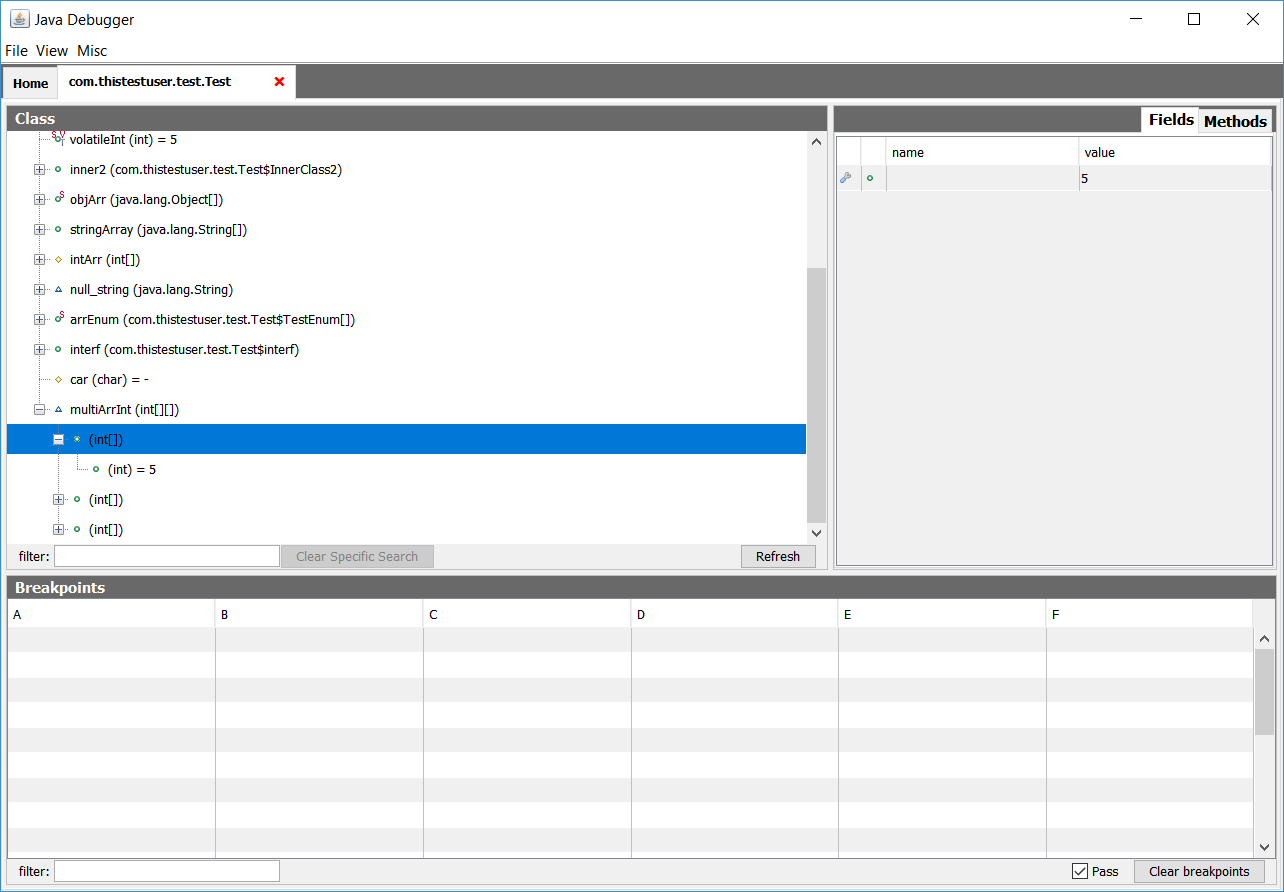
This way is through clicking the array in the left panel and then editing each index. While less messy, you cannot change array sizes through this method.
Uneditable fields can be clicked, but they won't be editable.