Repository navigation
Installing Code D
Installing code-d and all its dependencies can be done by simply installing code-d (ext install webfreak.code-d) from the VSCode marketplace inside the editor.
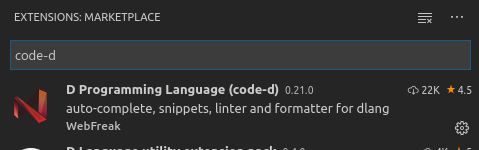
Simply click this and hit the Install button.
Afterwards code-d will install its dependencies (serve-d and DCD) and D should be ready to use. You might need to reload the window on first installation if things don't work correctly. code-d will only initialize when a D project is opened. Simply open a .d file inside some folder or have a folder opened with a dub.json or dub.sdl file.
Note: code-d only works when a folder is opened inside VSCode and not just loose files.
If you don't have D installed, code-d will open the D compiler download page for you where you simply select your compiler of choice and install it for your OS.
If you are on Windows, you will probably need to restart your PC after D is installed so it is accessible in the PATH from within VSCode and its extensions.
After you are done, reload VSCode (F1 -> Developer: Reload Window) and open a D project, everything should work now.

Refer to the User Guide for more information