
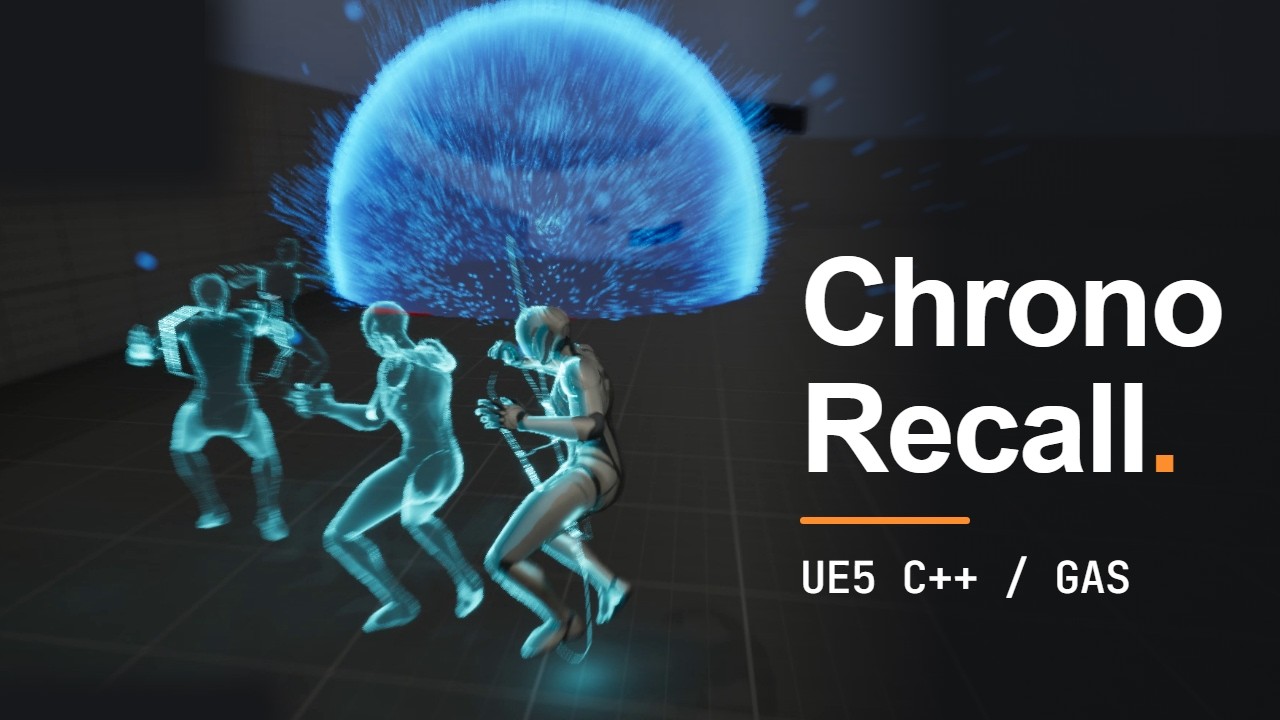
A time-rewind ability for Unreal Engine 5.3, built with C++ and the Gameplay Ability System (GAS). The character records the last 3 seconds of movement. On activation it sets off a blast at its current position, rewinds along the recorded path and recovers the health it lost during those 3 seconds.
Watch on YouTube · Download the Windows build
- Rewind: the last 3 seconds are recorded into a fixed-size ring buffer, and the rewind plays back along that path.
- Departure blast: radius, damage and knockback grow with the length of the rewound path. It plays a Niagara blast effect, a sound and a camera shake.
- Health restore: heals the health lost since the oldest recorded moment.
- Rewind effects: slow motion that starts at the blast, a pulse of field of view, chromatic aberration that peaks at the blast and fades out, the camera turning toward the blast, afterimages, a body glow and electric arcs on the character.
- Sound: blast, rewind and rewind-exit sounds, plus footsteps on the walk and run animations.
- Debug view: a path trail coloured by speed (off by default), and a live telemetry overlay.
- Network-ready: the ability is locally predicted, damage and healing are applied on the server, and the visuals and sounds are Gameplay Cues, so other players see and hear them too.
Changes since v1.0.0-beta:
- Gameplay Cues: the blast (
GameplayCue.ChronoBlast) and the rewind (GameplayCue.ChronoRewind) cosmetics now run as Gameplay Cues. The afterimages and body glow moved out of the rewind task into the rewind cue. - Niagara effects: a blast effect and camera shake at the departure point, and electric arcs on the character during the rewind.
- Sound: ability sounds for the blast, the rewind and the exit, and footsteps on the Quinn walk and run animations.
- Time dilation: slow motion now starts at the blast and covers the hold on it. The scrub itself runs at full speed for the player, and the world eases back to normal over its last 30%.
- Chromatic aberration: it now starts at its peak on the blast and fades out over the rewind, instead of pulsing up and down.
- Blast kills: dummies killed by the blast ragdoll with an impulse, and are launched 8× harder than survivors.
- Sprint: the sprint speed is now sent to the server, so the server's recorded path matches the client's.
- Debug draw:
Chrono.DrawPathis now off by default, and it also toggles the blast radius sphere. - Tuning:
BP_GA_ChronoRecallnow uses a 0.8 s rewind with a 0.2 s hold, +35° field of view, chromatic aberration peaking at 7, and slow motion down to 0.2× world speed. A rewind needs a path of at least 120 cm, and full blast power is reached at 2500 cm.
| Step | What happens | Code |
|---|---|---|
| Record | Every 0.05 s, the character's transform, velocity and health are written into a 60-slot ring buffer. | UTemporalBufferComponent |
| Activate | E activates the ability by its Ability.ChronoRecall tag. Activation is blocked during the 3 s cooldown, or if the recorded path is shorter than 120 cm. |
UGA_ChronoRecall |
| Detonate | Pawns within a sphere around the starting point take damage and are launched outward. Power is the path length divided by DistanceForFullPower (2500 cm), and it scales the radius (300–800 cm), damage (10–60) and launch speed. Damage is passed to the gameplay effect as a Set by Caller magnitude. The GameplayCue.ChronoBlast cue plays the blast effect, sound and camera shake at that point, with the radius and power as parameters. |
UGA_ChronoRecall::Detonate, UChronoBlastCue |
| Rewind | After a short hold on the blast, a ticking ability task switches the character to flying, disables collision, and moves it back through the snapshots. The same task drives the camera and slow motion. | UChronoRewind |
| Effects | GameplayCue.ChronoRewind is added when the ability activates and removed when it ends. While it is active it plays the electric arcs and sound, drops pooled afterimages once the hold is over, and fades a glow over the body. |
AChronoRewindCue, UChronoGhostComponent |
| Restore | At the oldest snapshot the character walks (or falls) again with the velocity recorded there, and the server heals the difference in health. | UGA_ChronoRecall::OnRewindFinished |
Networking:
- The server and the owning client each record their own buffer.
- The client rewinds immediately, and the server runs its own rewind from its own buffer.
- The server doesn't apply client movement corrections during the rewind.
- The blast and rewind cosmetics are Gameplay Cues, so clients that didn't activate the ability still see and hear them.
- Sprinting is sent to the server, so both buffers record the same path.
- Download the zip from Releases, extract it, and run
ChronoGAS.exe. - If the game doesn't start, run
Engine/Extras/Redist/en-us/UEPrereqSetup_x64.exefrom the extracted folder.
You need 64-bit Windows 10 or 11 and a DirectX 12 GPU that supports Shader Model 6.
You need Unreal Engine 5.3 and Visual Studio 2022 with the Game development with C++ workload.
- Clone the repository with Git LFS.
- Right-click
ChronoGAS.uprojectand choose Generate Visual Studio project files. - Open
ChronoGAS.sln, then build Development Editor | Win64. - Open the project and press Play.
ThirdPersonMapis the default map.
| Input | Action |
|---|---|
| W A S D | Move |
| Mouse | Look |
| Space | Jump |
| Left Shift | Sprint |
| E | Chrono Recall |
| ` | Console |
The path trail and the blast radius sphere are hidden by default. Enter Chrono.DrawPath 1 in the console to show them, and Chrono.DrawPath 0 to hide them again.
| Path | Contents |
|---|---|
Source/ChronoGAS/Public/TemporalBufferComponent.h |
Ring buffer recorder and path trail |
Source/ChronoGAS/Public/AbilitySystem/GA_ChronoRecall.h |
The ability: activation checks, blast and heal |
Source/ChronoGAS/Public/AbilitySystem/AbilityTasks/ChronoRewind.h |
Ticking task that runs the rewind and its effects |
Source/ChronoGAS/Public/AbilitySystem/ChronoBlastCue.h |
Gameplay Cue for the blast |
Source/ChronoGAS/Public/AbilitySystem/ChronoRewindCue.h |
Gameplay Cue for the rewind: afterimages and body glow |
Source/ChronoGAS/Public/AbilitySystem/ChronoGhost*.h |
Pooled afterimages |
Source/ChronoGAS/Public/AbilitySystem/ChronoAttributeSet.h |
Health, MaxHealth and IncomingDamage attributes |
Source/ChronoGAS/Public/UI/ChronoTelemetryWidget.h |
Telemetry overlay and health bar data |
Source/ChronoGAS/ChronoGASCharacter.h |
Ability system setup, input, dummy ragdoll |
Content/AbilitySystem/ |
Ability Blueprint, gameplay effects, Gameplay Cues, materials and widgets |
Content/FX/ |
Niagara effects for the blast and the electric arcs, and the blast camera shake |
Content/Audio/Abilities/ChronoRecall/ |
Blast, rewind and rewind-exit sounds |
Content/Assets/Sounds/FootSteps/ |
Footstep sounds used by the walk and run animations |
- The packaged build is single-player. Multiplayer was tested in the editor with 2 PIE clients.
- Slow motion only runs in single-player.
- Under high latency, the character can snap slightly at the end of the rewind.
- Reaching 0 health has no effect on the player.
- Dummies killed by the blast stay down until the game restarts.
- Character, animations and input are from the Unreal Engine Third Person template.
- The UI uses the Sansation font.
Copyright (c) 2026 Sanjyot Dahale. All rights reserved.