web scraping (Download multiple images from web by using python)
For window users - open cmd (window command line) Create new anaconda environment - conda create --name image_scraping_new python=3.7
conda activate image_scraping_new
git clone https://github.com/HotuRam/Image-scraping-Python-
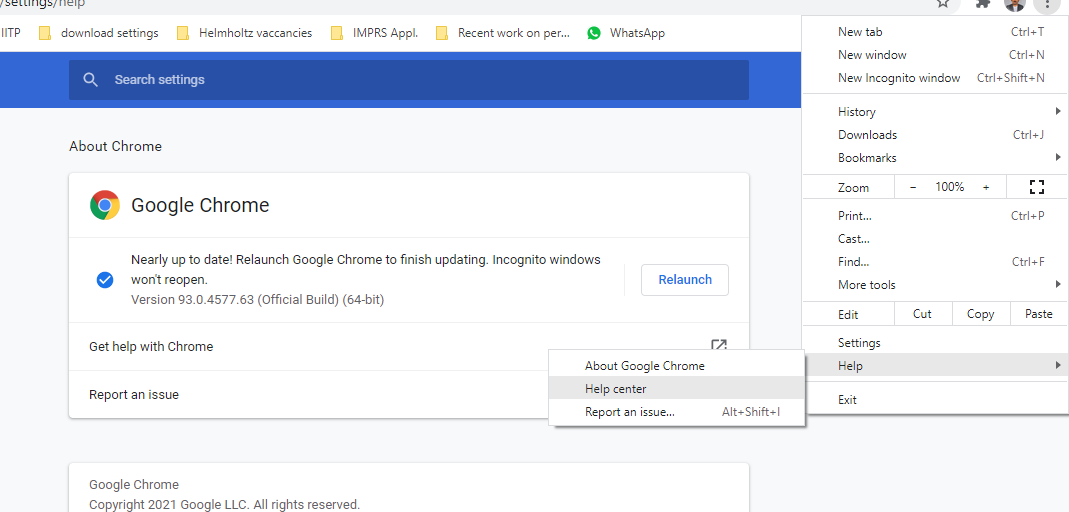
it's time for check the chrome browser version and download the appropriate chromedriver driver download link - https://chromedriver.chromium.org/downloads
double tap for clear image -- for this chrome-version driver already in ripo. so we are free to go.
---- copy and paste below code in cmd
  cd Image-scraping-Python-
  pip install -r requirements.txt
Now, open demo.ipynb file and run it... ----- select the kernel image_scraping_new
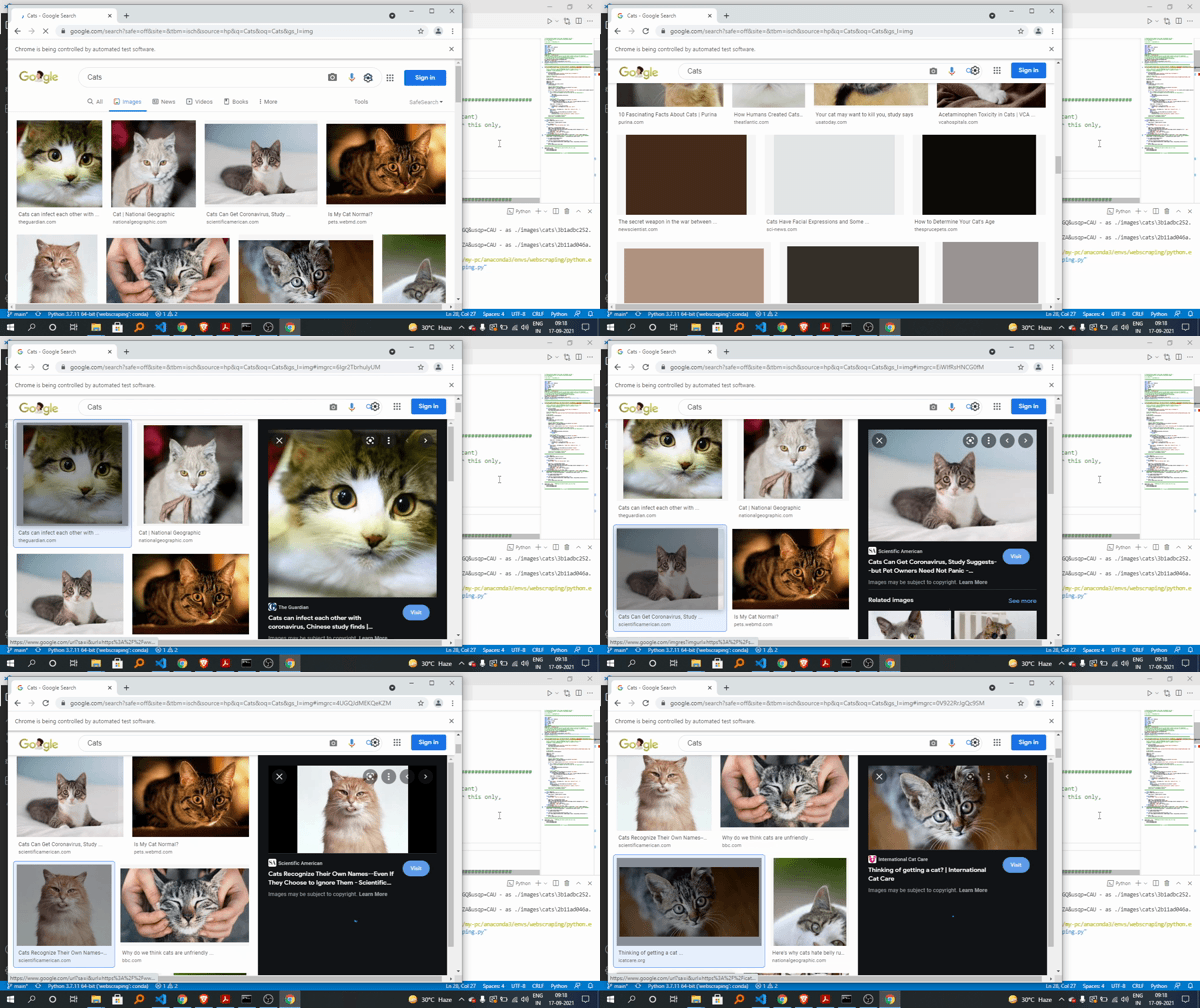
if everything is ok then we see this crome tab..
time to close above tab... Now, we have to open vs code then open folder Image-scraping-Python- then open file image_scraping.py we have to open file scrap.ipynb Just run it....(everything is setup by me...do not touch anything in this go...) Remember we have to change only the searching name (like cats, dogs, panndas, or whatever) Number of images like (10,20,100) set the count of image...
Congratulations!!! we made it.. and we successfully download 50 images of cat..
--------------------------End of the beautiful project-------------------------------------- ---https://towardsdatascience.com/image-scraping-with-python-a96feda8af2d