

The card game Set as a SwiftUI iOS app, built in fall 2022 as the Set assignment for Stanford's CS193P (Developing Applications for iOS).
Status: complete, not maintained. Finished October 2022 and archived. The code is left exactly as it was written then and has not been updated for newer Xcode or iOS releases.
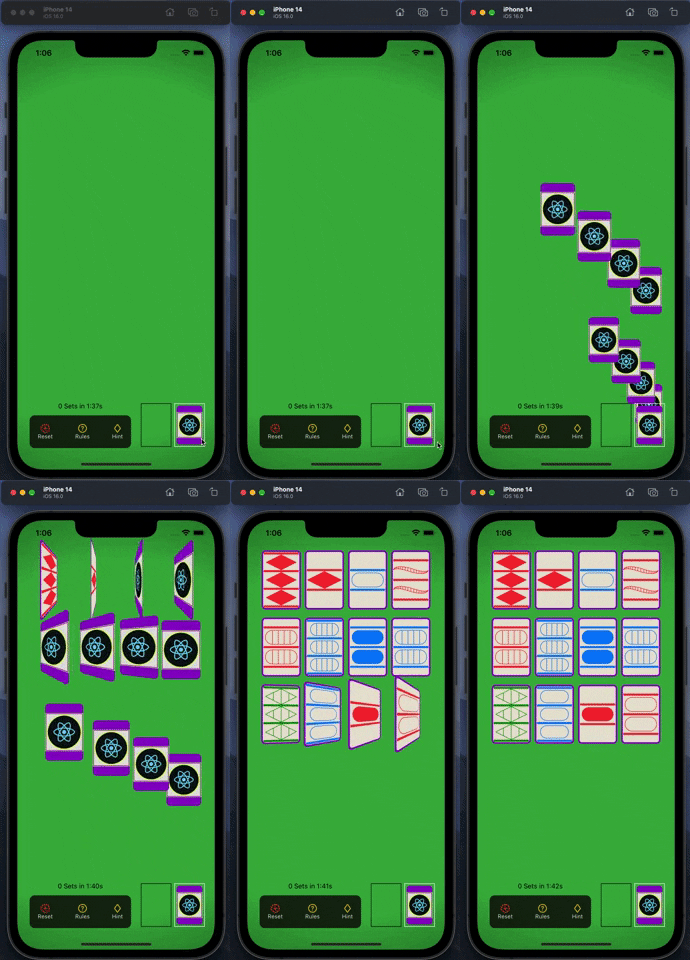
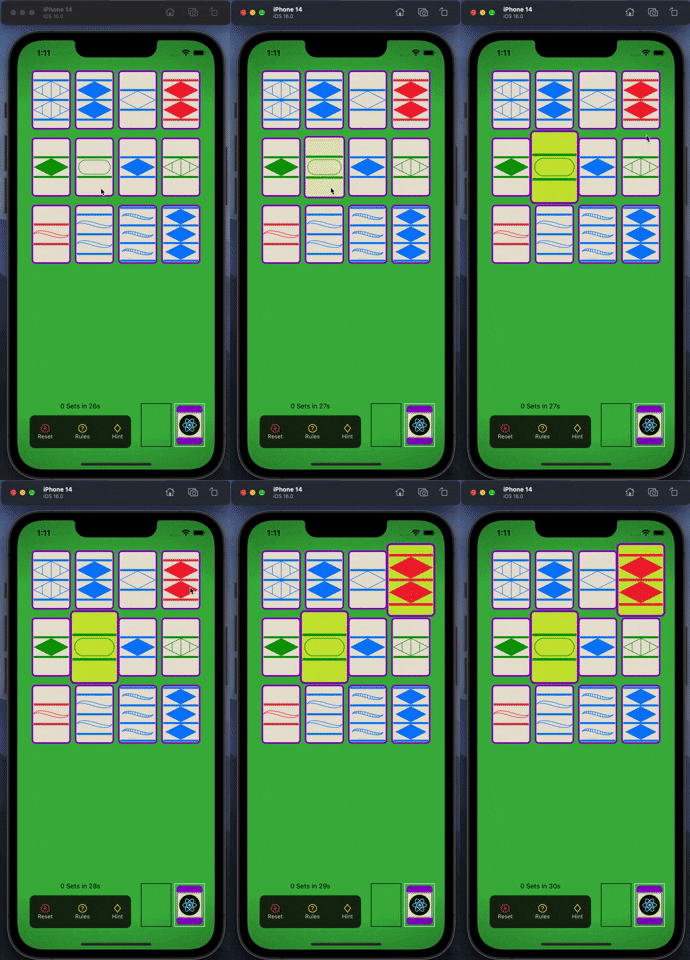
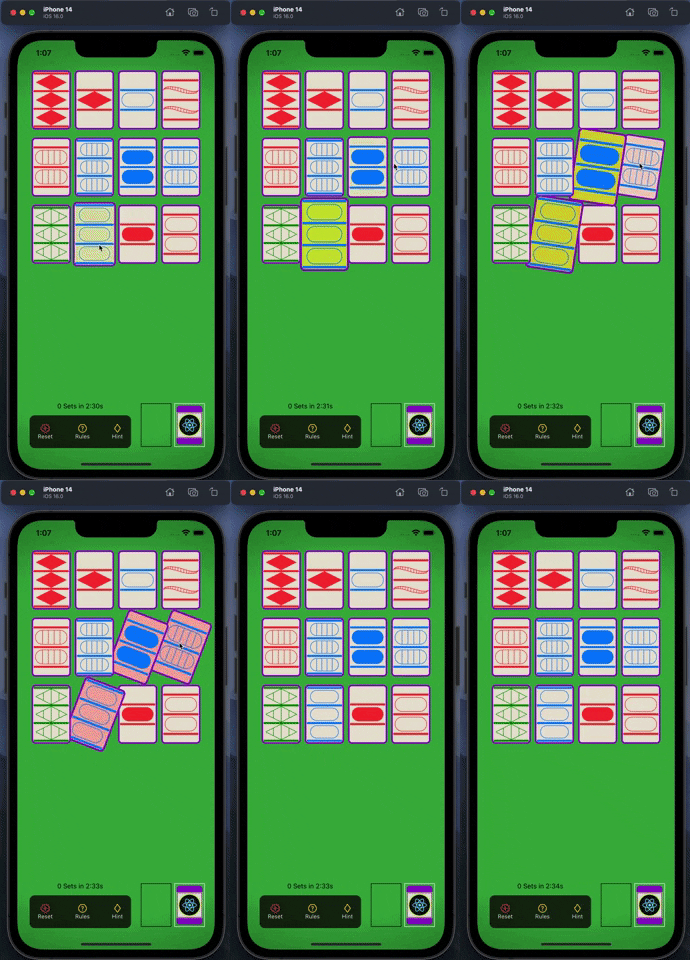
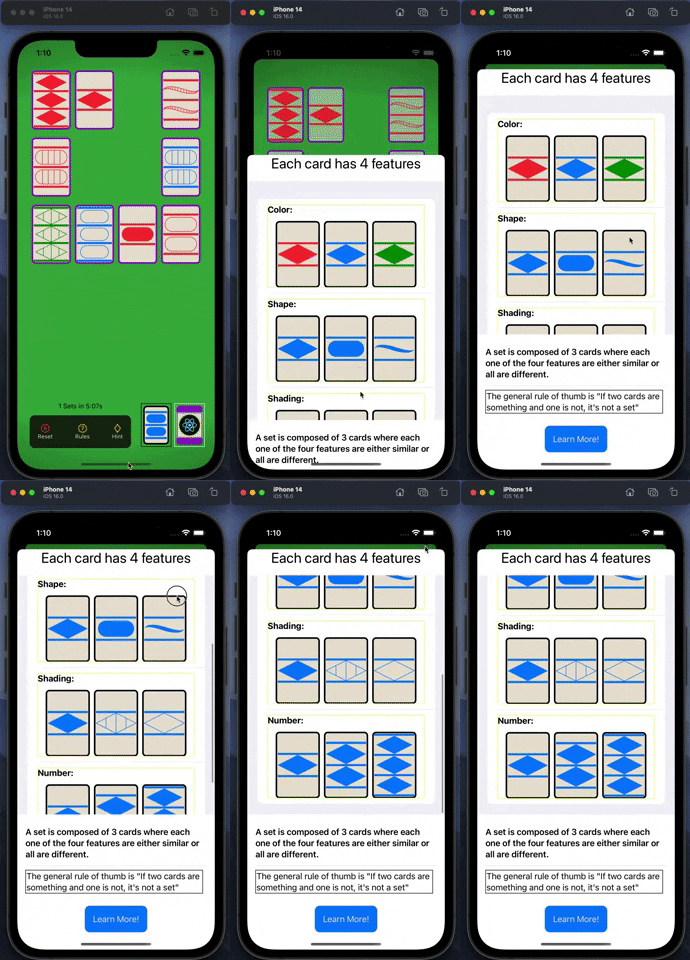
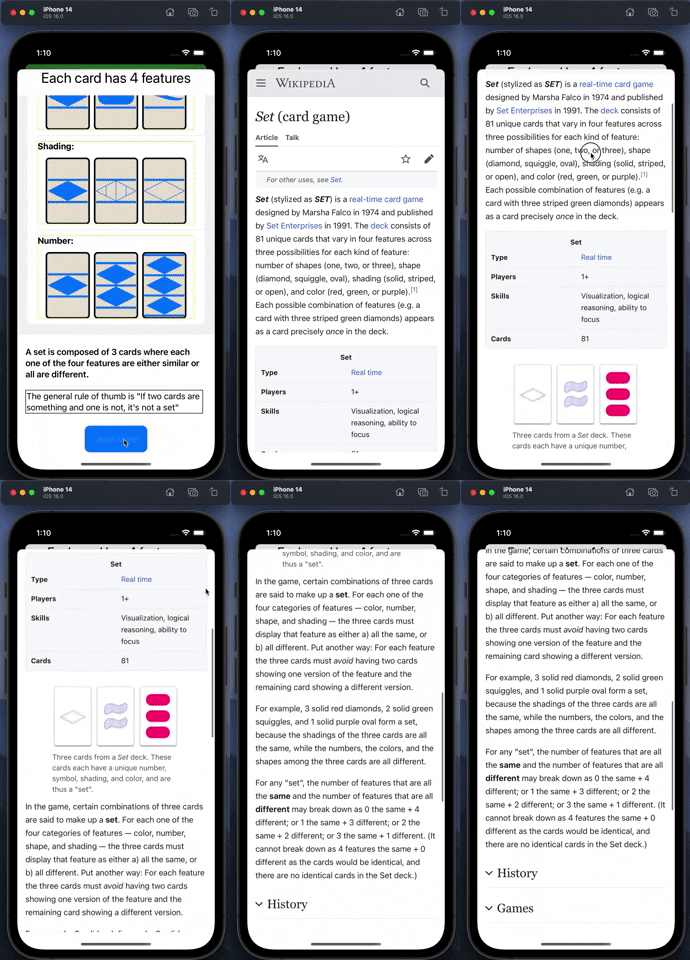
CS193P's lectures build a memory-matching game; Set is the homework. The course supplies a spec (deal 12 cards, deal three more on request, select three, detect a match, draw three shapes with three shadings, then animate dealing and discarding) and students build the app themselves. The code is mine. The dealing and card-flip animations follow patterns demonstrated in lecture; the card model, the shape drawing, the hint, and the rules and completed-sets screens are my own design.
I built it to learn Swift and SwiftUI: value-type models, ObservableObject state, custom Shape
paths, and SwiftUI animation.
- Generates the 81-card deck by counting in base 3. Each of a card's four base-3 digits is one
feature (color, shape, shading, number), so one loop produces every card with no lookup table.
SetChart.pngdiagrams the encoding. - Deals, flips and discards with animation. Tap the deck to deal, with cards staggered one after
another. Cards flip face up, and matched sets fly to the discard pile via
matchedGeometryEffect. - Checks selections. Select three cards: a valid set spins and is discarded; an invalid one tilts and flashes red.
- Hint. Highlights a valid set on the board. For each pair of cards on the board it computes the one card that would complete a set and checks whether that card is showing: O(n²) over the board rather than testing every triple.
- Custom-drawn cards. Diamond, oval and squiggle are hand-built
Shapepaths. Striped shading is computed geometrically: diamond stripes from line equations, squiggle stripes by evaluating points along its quadratic Bézier curves. - Rules screen with example cards for each feature and an embedded Wikipedia page.
- Completed-sets screen (tap the discard pile) listing each set found and how long ago.
- Running count of sets found and elapsed time.
- No scoring beyond sets found and time elapsed.
- No end-of-game detection. When the board has no set, the Hint button does nothing visible.
- No saved games. Closing the app or pressing Reset discards the game.
- No tests.
- Not on the App Store.
Known issue: taps aren't blocked during the 0.6-second match animation, so a quick fourth tap re-checks the previous three cards and can record the same set twice.
Notes from reviewing this code in 2026:
- Card state is bit-packed into a
UInt8, with a cleared bit meaningtrue. Seven flags on 81 cards never needed packing. PlainBoolproperties, or a SwiftOptionSetif packing were actually required, would be shorter and much harder to get wrong. - The view model builds views.
SetGameViewModel.cardFeatureBuilderreturns SwiftUI views and owns colors and shapes. Under MVVM, that belongs in the view layer. - The set check ignores its own encoding. With features stored as base-3 digits, three cards form a
set exactly when every feature's digits sum to a multiple of 3. That one rule would replace both the
long boolean in
checkForSetand most ofsetMatchCalculator.
I've left these as they were on purpose. The repository shows what I wrote in 2022, and the commit history dates it.
Swift 5 · SwiftUI · WebKit (WKWebView via UIViewRepresentable). No third-party dependencies.
Requires a Mac with Xcode. Last built with Xcode 14 against the iOS 16 simulator; deployment target iOS 15.3. Not re-verified on current Xcode.
git clone https://github.com/HeftyB/SetGame.git- Open
Set/Set.xcodeproj. - Choose an iPhone simulator and press Run. To run on a physical device, select your own team under Signing & Capabilities.
- The board starts empty. Tap the deck (bottom right) to deal.
| File | Role |
|---|---|
SetGameModel.swift |
Game state: deck generation, selection, set checking, dealing, hint search, card flags |
SetGameViewModel.swift |
ObservableObject wrapper; maps card features to shape, color, shading and count |
ContentView.swift |
Board, deck and discard pile; deal, match and discard animations |
Cardify.swift |
Card face/back modifier with an animatable flip |
Shapes.swift |
Diamond, CardCapsule, Squiggle paths and stripe geometry |
Rules.swift · CompletedSets.swift · ButtonBar.swift |
Rules sheet · completed-sets sheet · bottom controls |
Code: MIT (see LICENSE). The Set card game and its name belong to their owner; this is a
non-commercial learning project.