en platform dingtalk
Version v4.15.0.
| Message Type | Receive | Send | Notes |
|---|---|---|---|
| Text | Yes | Yes | |
| Image | Yes | Yes | |
| Voice | No | Yes | |
| Video | No | Yes | |
| File | No | Yes |
Proactive message push: Supported.
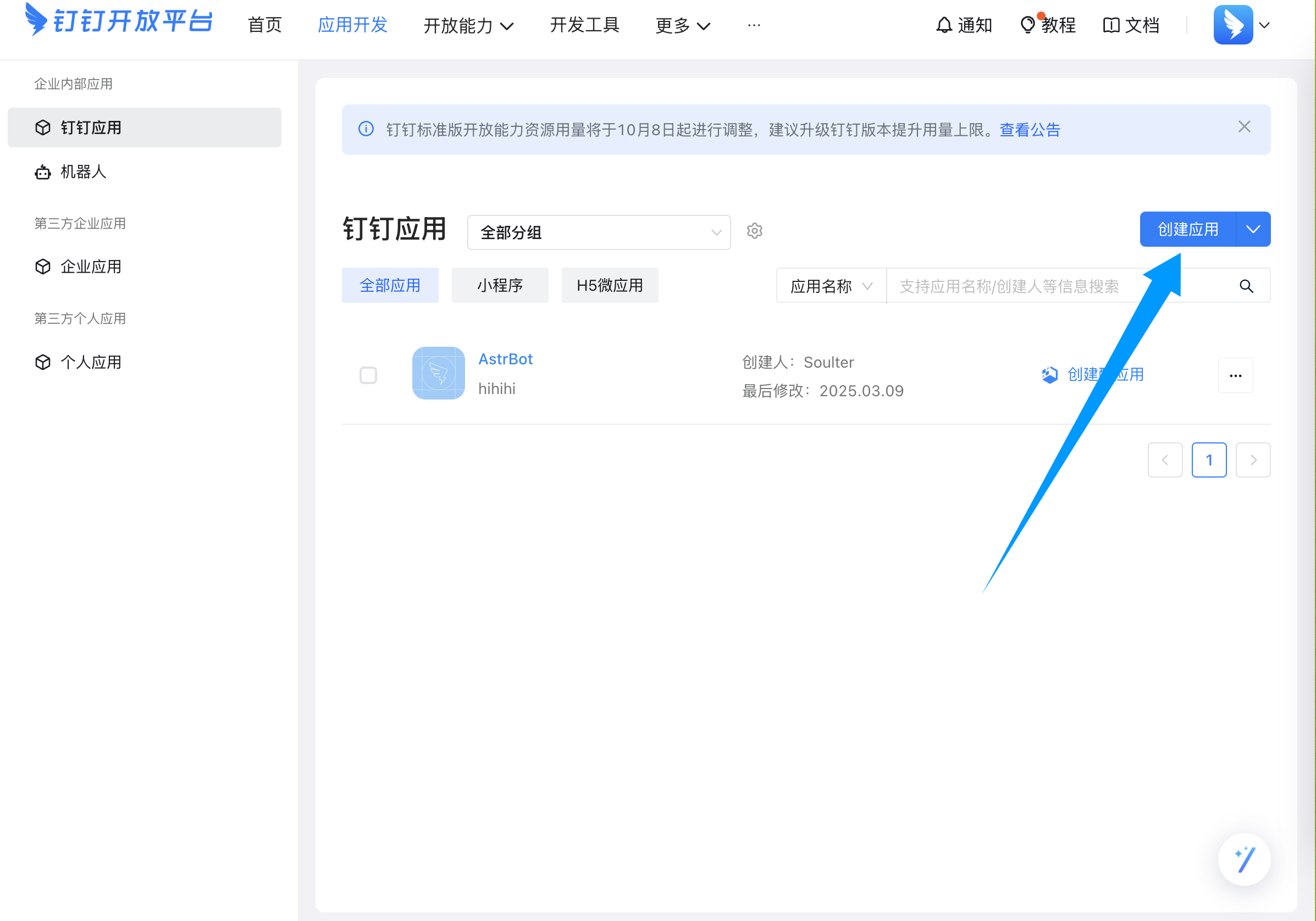
Go to the DingTalk Open Platform, then create an app:
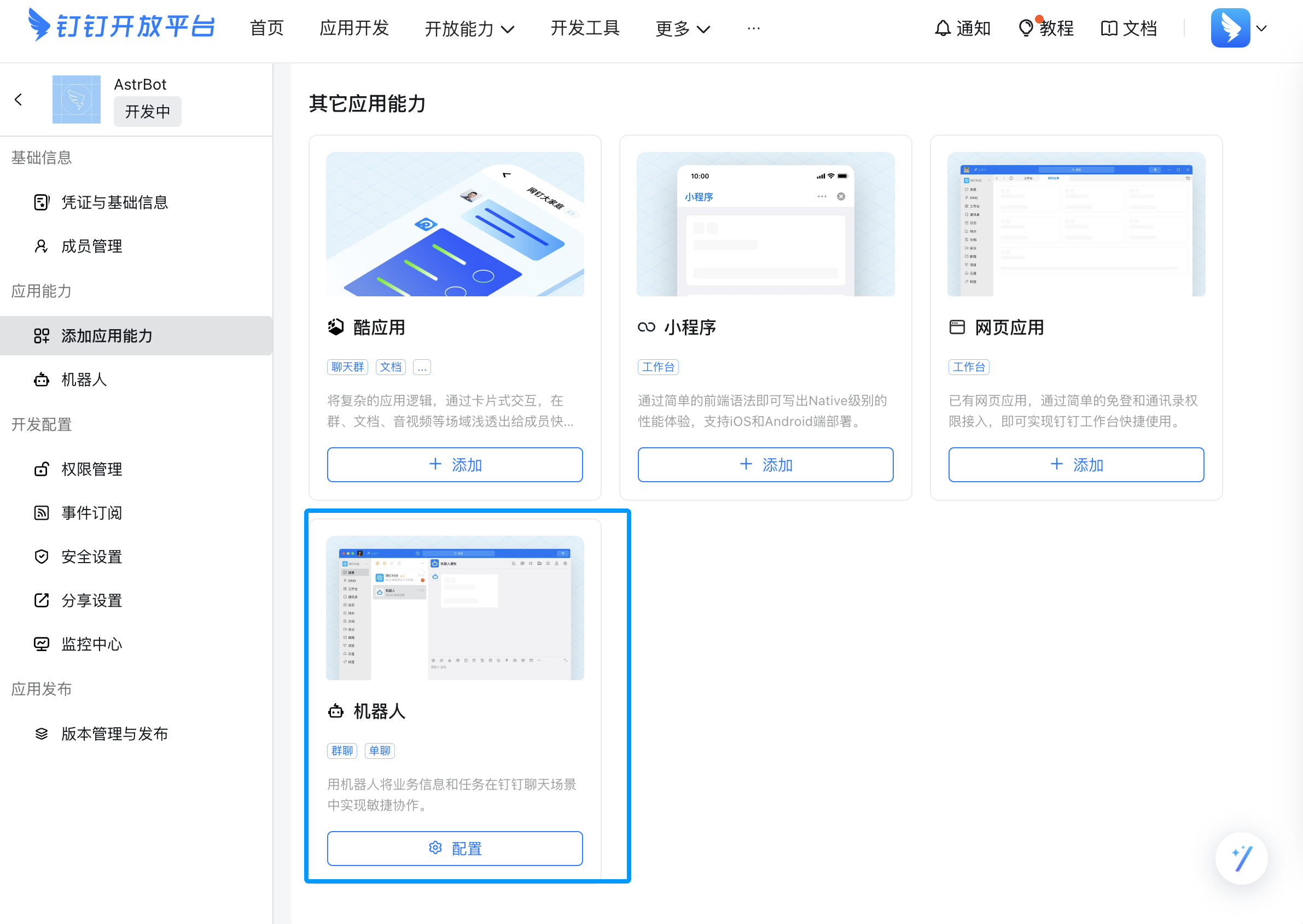
After creation, add app capability and choose Bot:
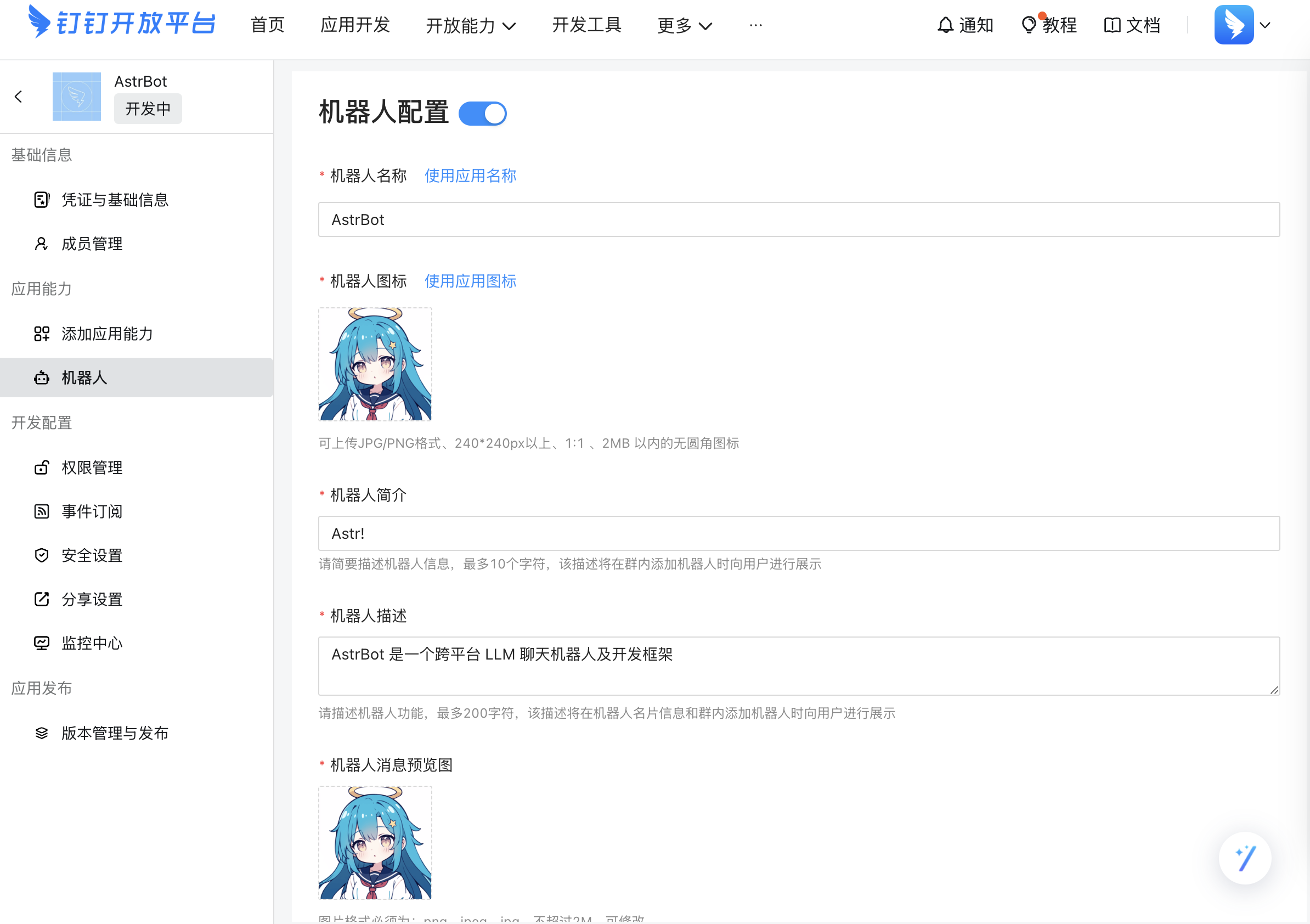
Open Bot settings and fill in bot information:
After confirming all settings, click Publish.
Go to Credentials & Basic Information, then copy ClientID and ClientSecret.
Open AstrBot Dashboard -> Bots -> + Create Bot, then create a DingTalk adapter.
Fill in ClientID and ClientSecret, then click Save. AstrBot will request authorization from DingTalk Open Platform automatically.
Back in DingTalk Open Platform, open Event Subscriptions, select Stream mode push, and click Save. If successful, you will see a connected status.
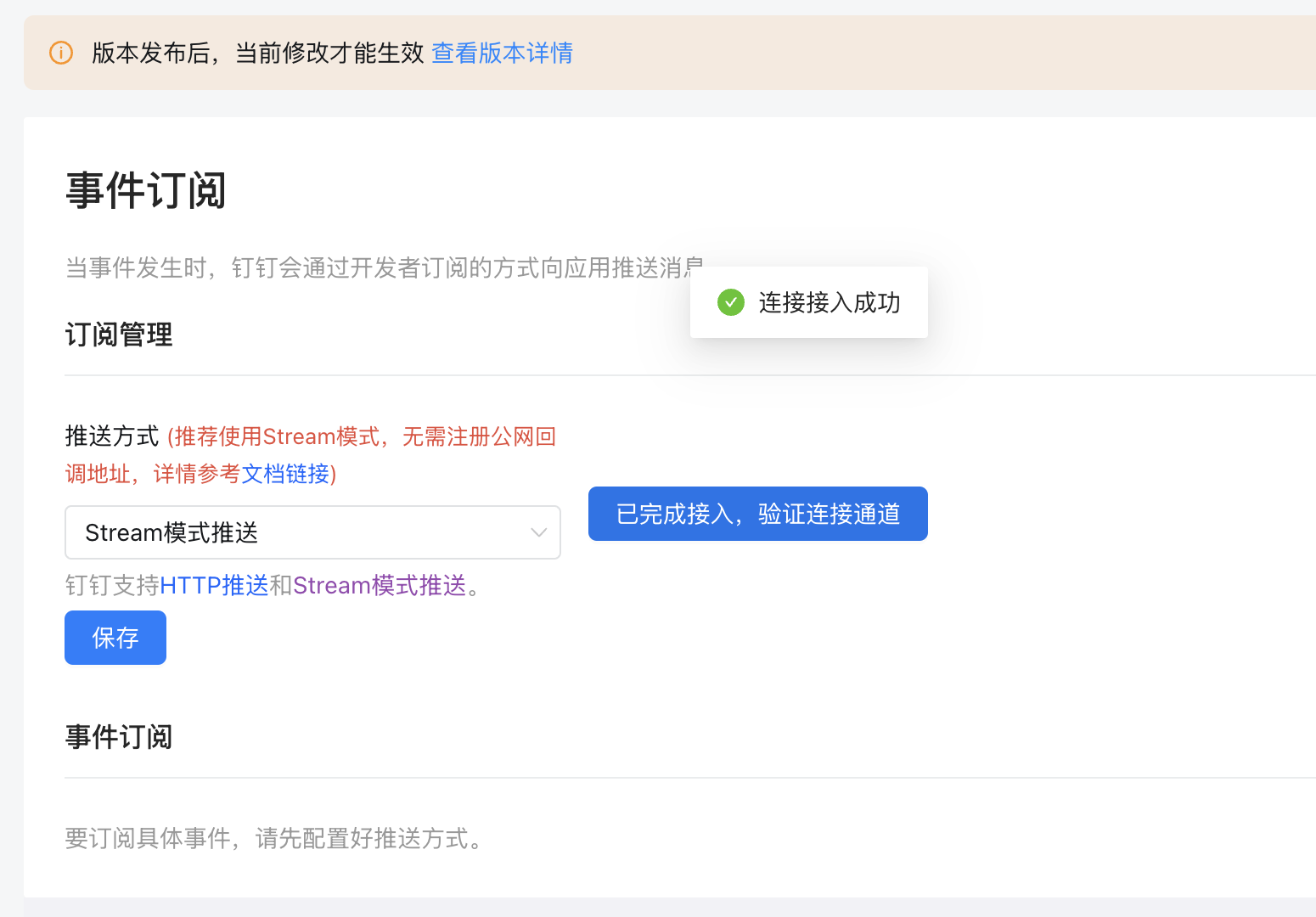
Save the configuration.
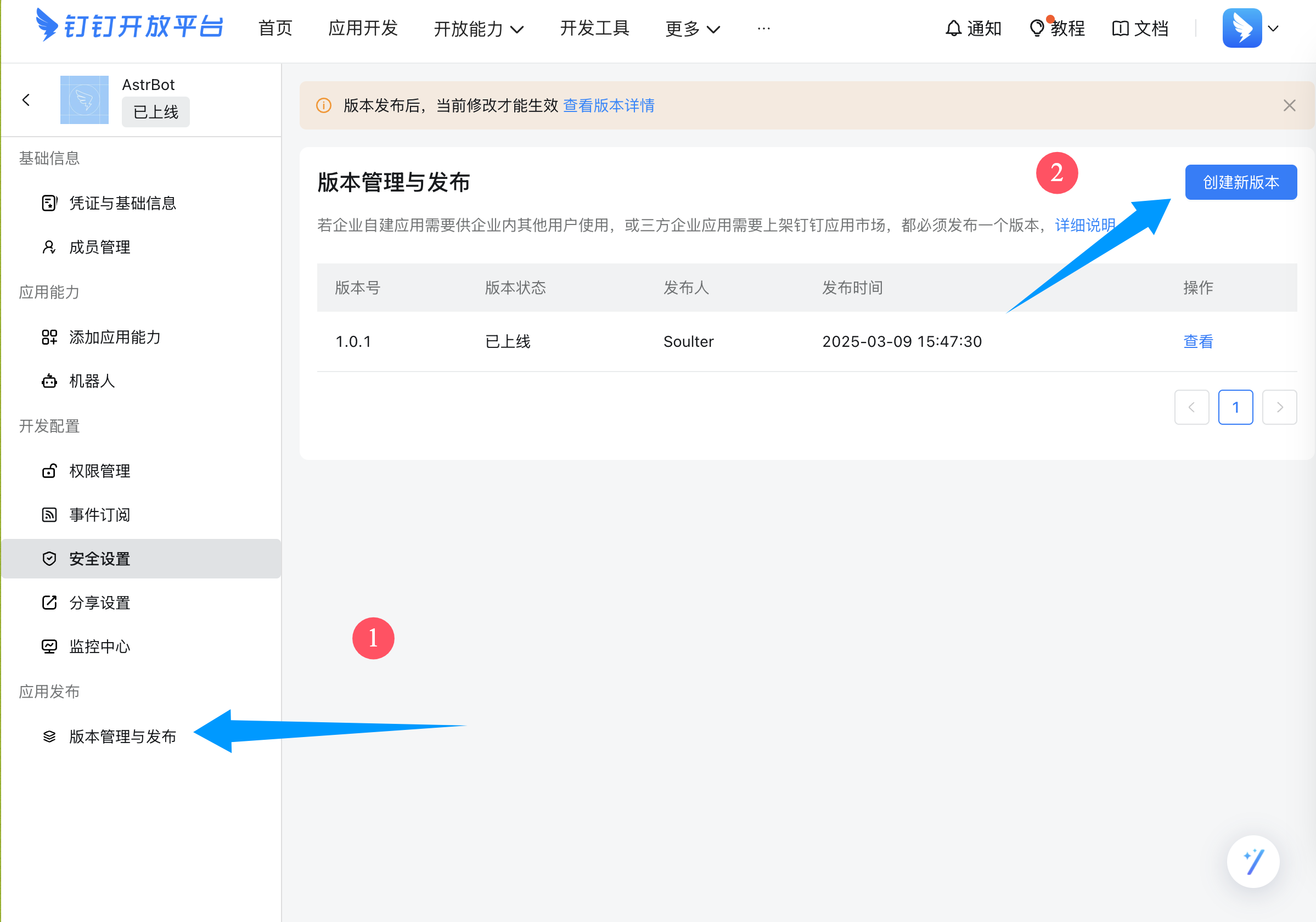
In the left sidebar, open Version Management and Release, then create a new version.
Fill in version number, description, and visibility scope (all employees or as needed), then save and publish.
Open a DingTalk group chat and click the top-right settings:
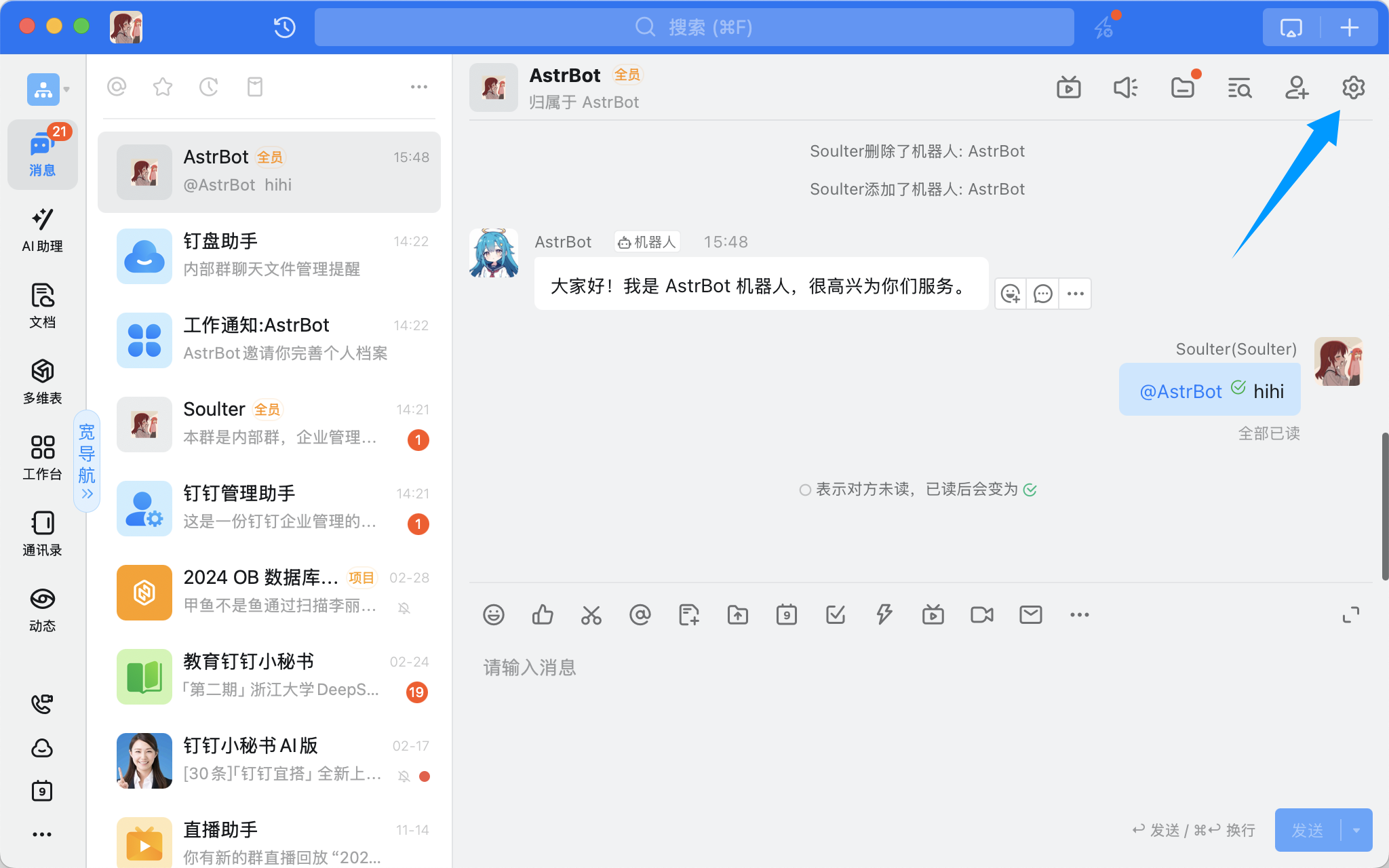
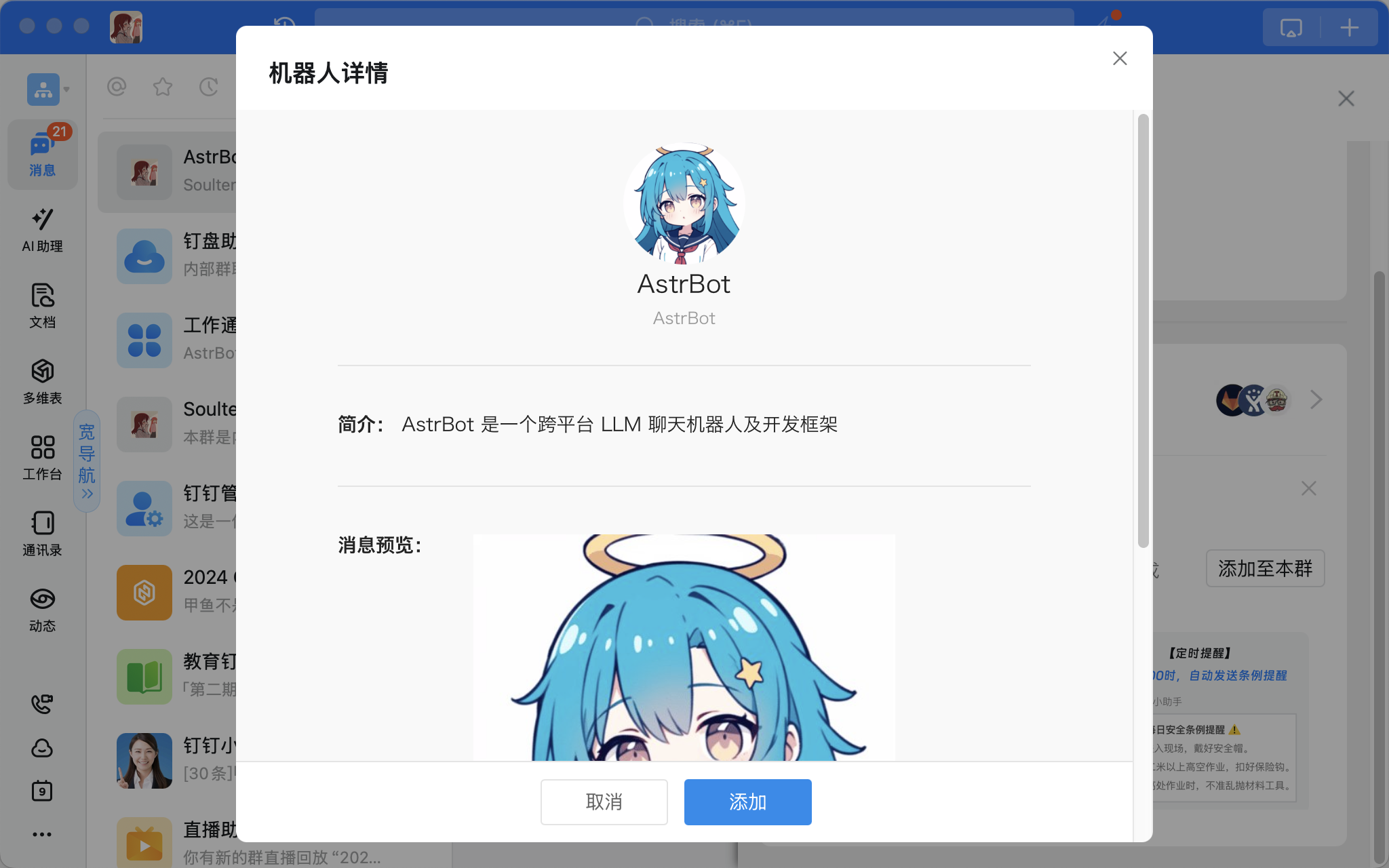
Scroll down to Add Bot, select the bot you just created, and add it:
In a group chat, mention the bot and send /help. If the bot replies, the integration is successful.