
YOUR WEB, PRESERVED.
Keep the good parts of the web.
Share a link. Add your tags. Find it again.
A native Android companion for your own ArchiveBox server.




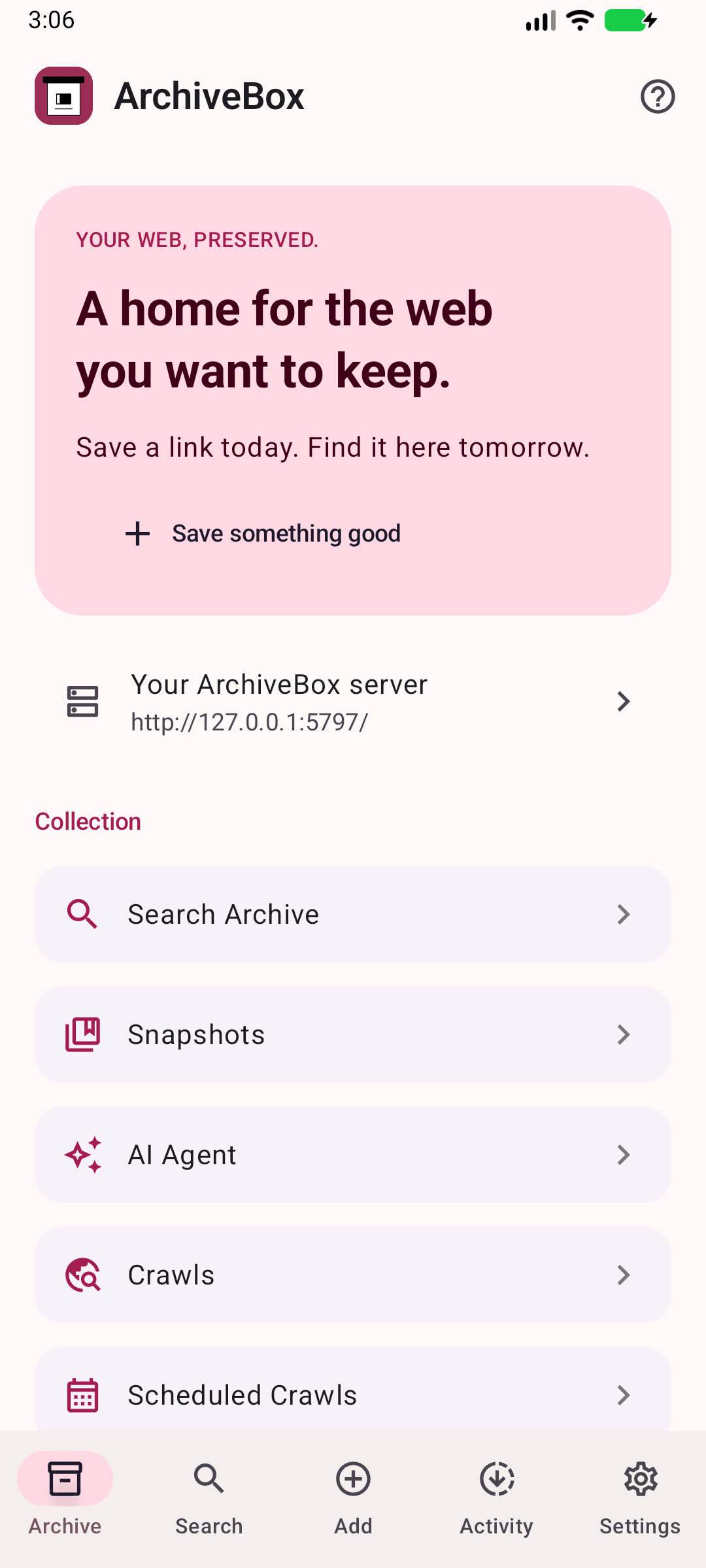
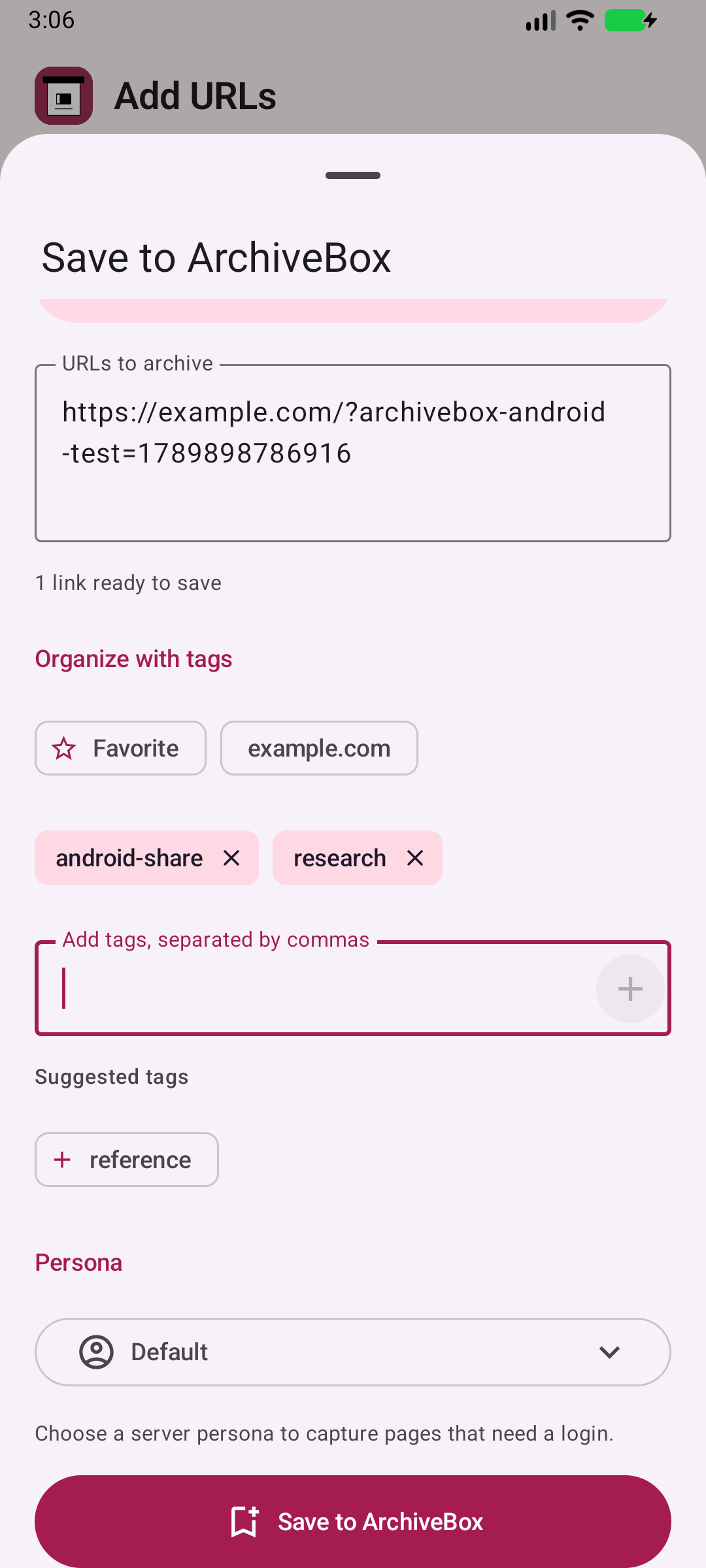
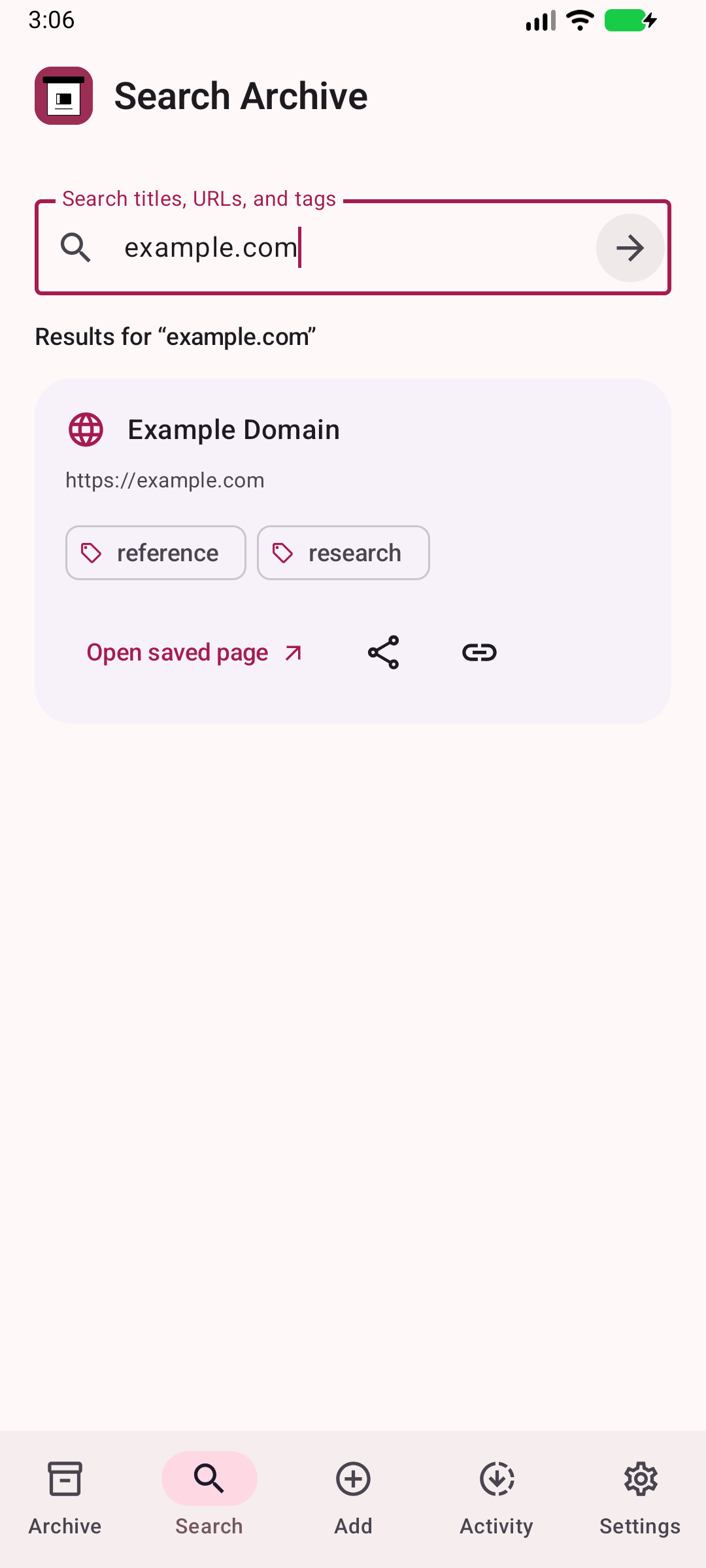
Your collection · Share and tag · Find it again
Captured from the Android app. Refreshed with each release.
ArchiveBox saves copies of websites so you can revisit them after they change or disappear. ArchiveBox for Android brings saving, search, and your collection to your phone and tablet. The server stores the archive; the app keeps it close.
- 📥 Share it. Keep it. Send links from browsers, messages, and other apps through Android’s share menu.
- 🏷️ A place for every link. Add tags as you save, with suggestions from your server and recent tags.
- 🔎 Find your way back. Search saved pages, open archived captures, and share original or archived links.
- 🗂️ Your whole collection. Open snapshots, crawls, tags, personas, users, and administration tools in the app.
- 🔑 Your server, your choice. Connect by URL and API key; look for nearby servers on port
5797or check tailnet hostnames. - 🎨 At home on Android. Kotlin, Jetpack Compose, Material 3, light and dark themes, and navigation that adapts to wider screens.
- Install the beta. Download ArchiveBox-Android.apk from GitHub Releases. Android may ask you to allow installation from your browser. Release downloads appear after the first successful signed release.
- Choose a home for your archive. Run ArchiveBox Server on your computer, home server, or hosting provider. Already set up? Choose Connect to existing server in the first-run guide.
- Connect. Open Connection Settings, enter a server URL and API key, and verify the connection. Use the address reachable from your phone;
localhostrefers to the phone itself. - Save your first link. In your browser or another app, tap Share → ArchiveBox, add tags, and save. Open Search or Snapshots to find it after the server finishes archiving.
The app is a client. Your server must be awake and reachable for saving, search, and browsing. ArchiveBox server features and administration permissions determine which server pages are available.
Share one URL or several links as text. Review them before saving, choose existing tags or create new ones, and select a persona when your server has one configured. A successful submission means the server accepted the archive request; the server may still be capturing the pages.
Android intents support incoming shared text and app links. Long-press the launcher icon for quick actions, or add the ArchiveBox home-screen widget to open Add URLs and Search with one tap. The widget displays no private archive metadata and never submits a link automatically. See the actual intent filters and shortcut definitions when integrating another app.
Connection Settings → Discover servers checks nearby candidates on port 5797. Discovery identifies servers; it does not send your API key to discovered addresses. It checks remembered addresses, reports scan progress, and continues listening for Bonjour servers while Connection Settings is open. Select a result, then authenticate with that server.
Verified connections are remembered on this device with encrypted API keys. Select a remembered connection in Connection Settings, or use the server dropdown on the main menu when more than one connection has an API key. Switching the server you browse preserves your default share destination. Use Forget to remove a saved connection from this device.
Search directly from the main menu. The search icon opens a mode menu with the server default, metadata, and full-text options; available modes refresh from the server. Results open in an authenticated embedded server page.
For Tailscale, connect your Android device to your tailnet first and enter a server’s MagicDNS name or 100.x.y.z address as a discovery hint, or paste the output of tailscale status --json from a computer on your tailnet. Only reachable candidates can be discovered, and a firewall or VPN policy can block access. You can always enter a server address directly, including a different port.
Prefer HTTPS for servers outside a trusted private network. See privacy and connection behavior.
The screenshot gallery covers every major flow: setup, connections, discovery, library, search, snapshots, adding URLs, tags, sharing, save confirmation, activity, settings, the home-screen widget, and every collection and administration page.
Release automation captures the running Android app and rebuilds the GitHub Pages gallery from that capture set. Images carry their app version, commit, device, dimensions, and checksums in a downloadable manifest. The site build refuses incomplete or stale release captures. The README screenshot strip uses the same published images, so it updates alongside the gallery.
Install JDK 17 and the Android SDK components required by the app build. Use Android Studio to import this repository, or:
git clone https://github.com/ArchiveBox/android-archivebox.git
cd android-archivebox
./gradlew :app:assembleDebug :app:testDebugUnitTest :app:lintDebug
./gradlew :app:installDebug
Set ANDROID_HOME or create a local local.properties with sdk.dir pointing to your SDK. Connect an Android 9+ device with USB debugging enabled, or start an emulator before installing. Do not commit API keys, local.properties, or signing files.
- Release and signing setup — automatic main-branch versions, APK/AAB publishing, and Google Play prerequisites.
- Website and screenshot contract — preview the site and maintain capture coverage.
- Privacy · Branding credits.
- 📖 ArchiveBox documentation — running a server, archiving, and managing your collection.
- 💬 Community forum — ask questions and share your workflow.
- 🐛 Report an Android issue — include Android version, app version, and the steps that failed. Remove credentials from logs and screenshots.
Free and open source under the GNU GPL v3 only. Copyright © 2026 ArchiveBox contributors.
ArchiveBox Server · Apple apps · Desktop app · Browser extension · Support the project ♡
Your data. Your devices. Your archive.