ChildConnect is a cross-platform mobile application designed to streamline communication between educators and parents for the wellbeing of their children. It offers a dependable solution for tracking children's progress while fully supporting both educational and administrative activities within the school environment. A full list of features that we provide are avaliable here.
IMPORTANT
Note that this project was developed using Expo SDK 52. As a result, some users may experience compatibility issues when attempting to run the app with the Expo Go application, as SDK 52 is not fully supported in newer versions of Expo Go. There are currently no plans to take this project into production. You may wish to fork the stablity branch instead of main as main is currently unstable.



Full screenshots of the project can be found within our documentation here
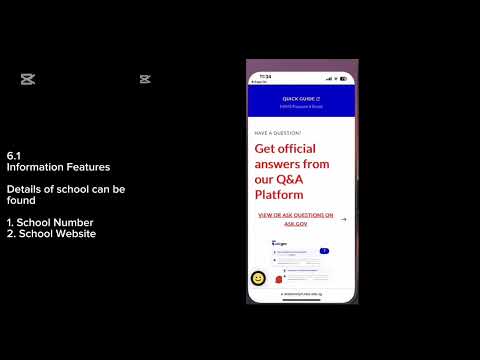
although we recommend watching the demo video for a more comprehensive understanding.
If you’d like to run this project on your own, follow the steps below to set up both the frontend and backend locally.
Note: You may wish to fork the
stablitybranch instead ofmainasmainis currently unstable.
Make sure you have the following installed:
- Node.js (v18 or newer)
- Python (v3.10 or newer)
- A Firebase account (with a service account and Firestore project set up)
- A Google Cloud Platform account (for Google Translate and other APIs)
Make sure you have the Expo Go app installed on your mobile device if you're testing on a physical phone. (Note that this project was developed on SDK52)
# Clone the repository
git clone https://github.com/yourusername/ChildConnect.git
cd ChildConnect

# Install frontend dependencies
npm install

# Start the Expo development server
npx expo startDo note that both your frontend and backend setups have to be connected to the same network. A script has been written to enable the backend to utilise your network IP instead of the local IP.
# Navigate to the backend folder
cd backend

# Create a virtual environment
python -m venv venv

# Activate the virtual environment
# On Windows:
venv\Scripts\activate
# On macOS/Linux:
source venv/bin/activate

# Install backend dependencies
pip install -r requirements.txt

# Create a .env file from the provided example
cp .env.example .env  # Use 'copy .env.example .env' on Windows

# Add Firebase service account credentials and any required API keys to the .env file
# Checkout the documentation provided by Firebase on instructions for how to setup firebase

# Start the FastAPI server
uvicorn main:app --reload --host 0.0.0.0 --port 8000
If anything is still unclear, feel free to contact us or refer to the documentation.
ChildConnect/
│
├── app/               # Screens organized by role (Parent, Teacher, Child)
├── components/        # Reusable UI components
├── backend/           # FastAPI backend
├── assets/            # Static images, icons, logos
└── utils/             # Utility functions & configuration
ChildConnect exposes FastAPI endpoints for:
- User registration & login
- Child location tracking
- Homework and academic records
- Speech-to-text & text-to-speech
- Translation (Google Cloud Translation API) You may find this useful for future development.
- Cloudinary Media Upload API
- Data.gov.sg MOE School Directory and Information
- Google Firebase Firebase Authentication and Firestore
- Real-time child tracking
- Child Mode with PIN-secure access
- Homework, attendance & academic monitoring
- Direct multilingual messaging with teachers
- Medical & academic documentation access
- Quick access to essential school information
- Class & student management
- Messaging with parents
- Grade recording & homework posting
- Notes and performance documentation
- View homework tasks
- Passive location tracking when in Child Mode
| Name | GitHub Profile | Contact |
|---|---|---|
| Wee Zi Hao | 27July |   |
| Tan Yi Jun | whyzaac | - |
| Sivaguruanathan Keerthivasan | keerthivasan2002 | - |
| Edwin Tan Yu Qi | - | - |
| Kumar Advaith | - | - |